- 26 -
English
To take a photo
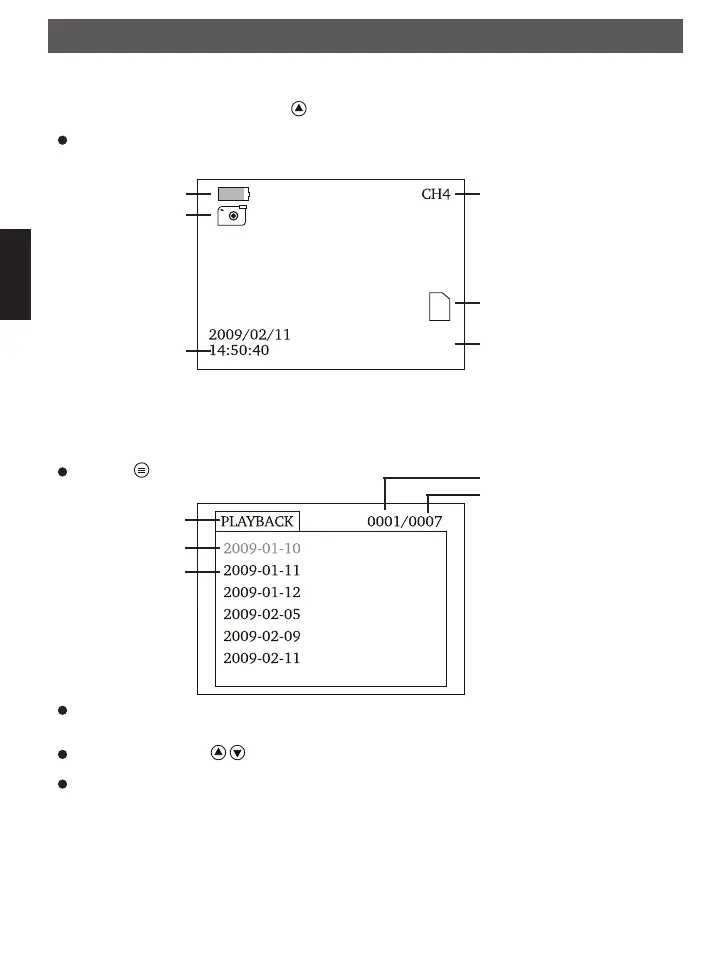
In the realtime monitoring status, press button to enter the photo mode as follows:
Take a photo with the OK button.
Capacity Of Battery
Photo icon
date/time
Current Channel
SD Card Icon
Remaining photo quantity
[6405]
Playback of photos and videos
Press the button.
The first layer show the folders, which are created by the unit. The date, where the records are created, is
the name of the folder.
Select a folder with the buttons and press the OK button.
The second layer shows a list of records.
current folder
Total folders
Play
Folder 1 of 7
Folder 2 of 7
.
.
.
Operation
FindooMicroCamDEFN.indd 26 01.11.2010 14:03:43



 To Next Page