- 29 -
English
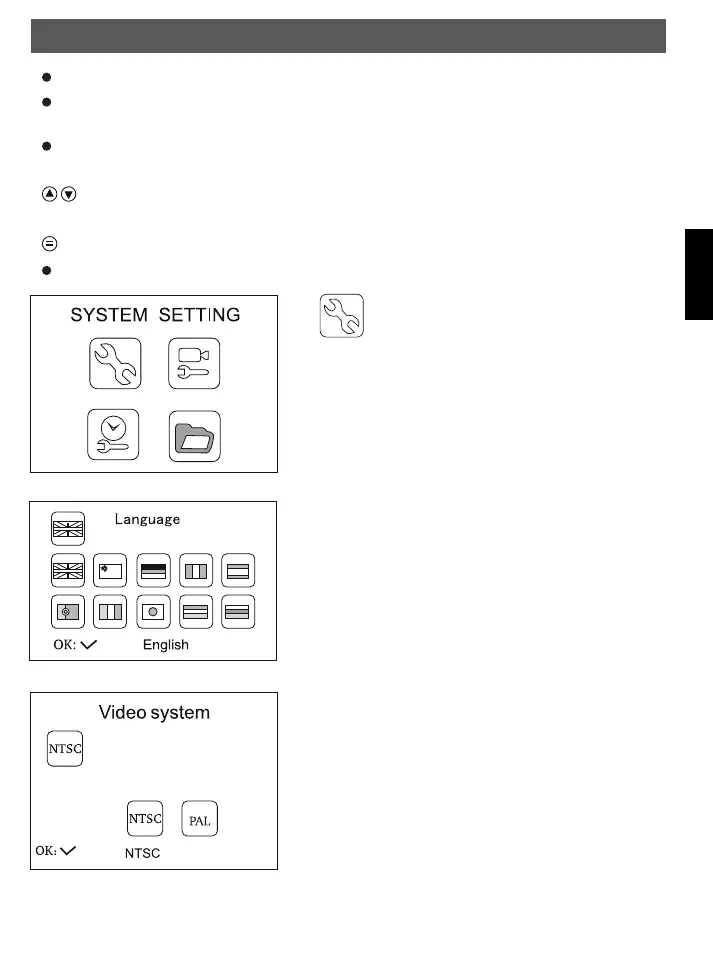
For further procedure it makes sense to check, whether the right OSD language is selected.
If the monitor language is set wrong, press the OK key twice to reach the selection menu. There the
country flags are shown.
Choose the correct flag and confirm with OK key
Menu navigation:
Keys: Choice of a menu entry
OK-key: Confirm choice
key: back in menu, interruption, leave the menu
The main menu is set up as follows:
System setting: choose language, video system,
format of the memory, favorite adjustments
(factory adjustments) software version of the
monitor
Choose language:
Following languages are implemented english, easy chinese,
german, french, spanish, portugiese, italian, japanese, dutch
and russian.
Video system:
PAL and NTSC are available as video system
Operation
FindooMicroCamDEFN.indd 29 01.11.2010 14:03:43



 To Next Page