17
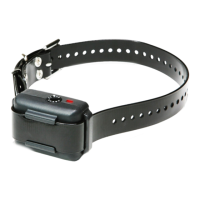
1. My dog is not reacting to the receiver.
- Make sure the receiver is turned on.
- Make sure the strap is on the dog tight enough so that
both contact points are touching the dog’s skin.
– The contact points may be too short for the dog.
To place an order for longer contact points that are
more appropriate for your dog, please call (888) 811-
9111. If you are already using the longest contact points
available, you might need to trim down the hair on
the dog’s neck so both contact points are touching the
dog’s skin.
– The intensity level may be too low for your dog. Keep
increasing the stimulation until the dog responds,
usually with neck movement, head shaking, looking
over its shoulder, etc. (response may be very subtle).
2. My YS600 is not holding a charge.
– The batteries might not be charged properly, or the
charger, splitter, and the charging port may not be
functioning properly. You can send in your charging
units to have us inspect them.
– The charging pin may be damaged. Inside the charging
port, there is a metal pin that should be standing
straight up and stiff. If the pin is wobbling, broken, or
missing, you will need to send the unit in to the Repair
Department. The charging port must be clean prior
to charging; clean the dirt out with a cotton swab and
TROUBLESHOOTING GUIDE



 To Next Page