Configuring the DSL100
Dolby
®
Digital Cinema System Manual Issue 0.92 (Preliminary) 55
14. Select
Save Changes and continue with configuration, and press <Enter> to select Yes in
the confirmation dialog box.
If you do not want to make any changes, select
Discard Changes and continue with
configuration,
and press <Enter> to select Yes in the confirmation dialog box.
The
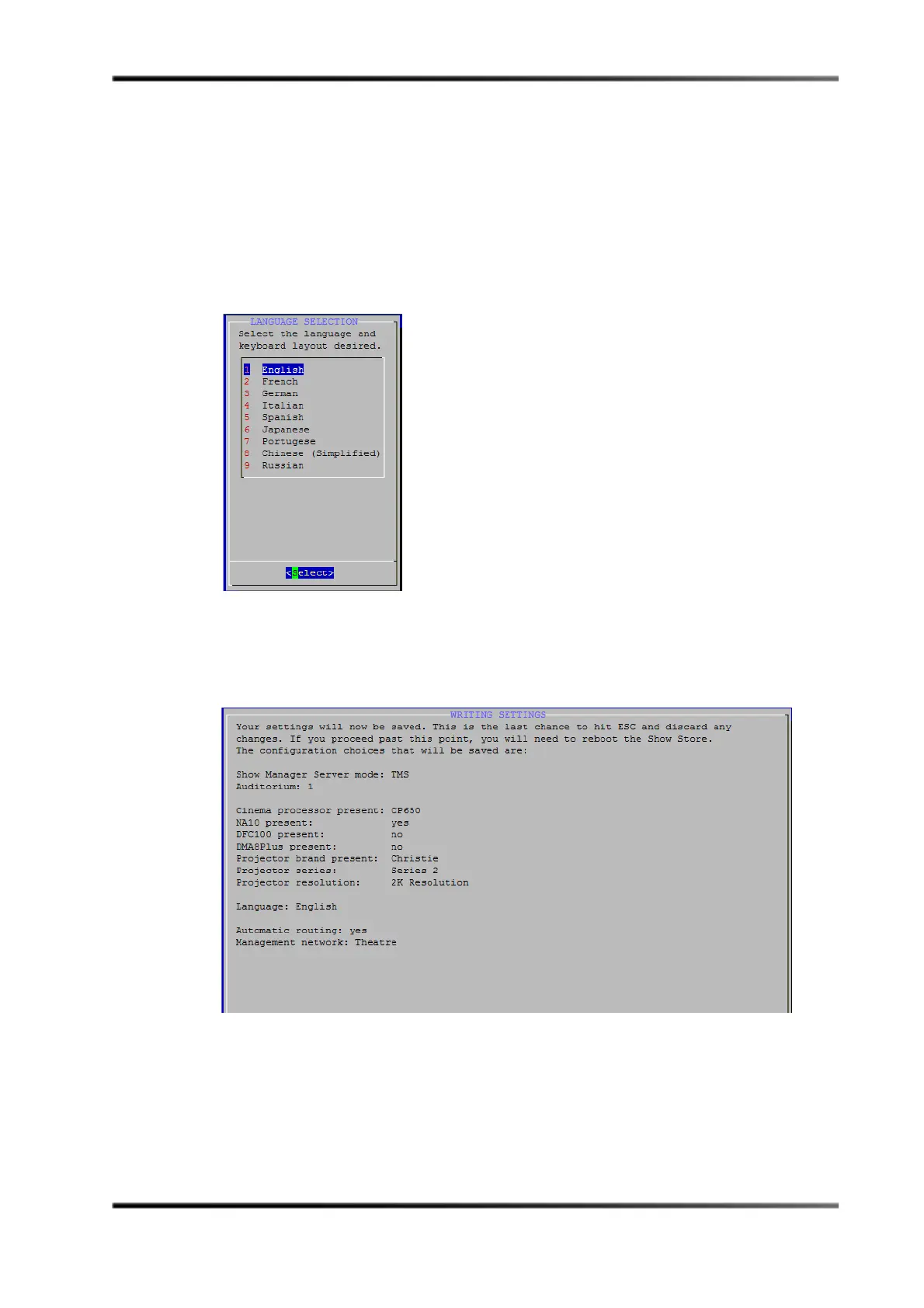
Language Selection screen appears, as shown in Figure 3-59. For Italian, Chinese
(Simplified), and Russian, this setting also specifies the respective Show Manager UI
translation. (All other language selections display an English UI.) Chinese and Russian
selections support an English keyboard with a localized UI.
Figure 3- 59
Figure 3-59 Language Selection Screen
15. Use the arrow keys to select your language, then press <Enter>. The default is English.
The
Writing Settings screen displays your settings, as shown in Figure 3-60.
Figure 3- 60
Figure 3-60 Writing Settings Screen



 To Next Page