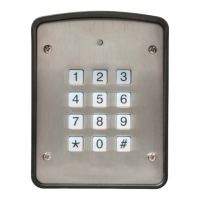
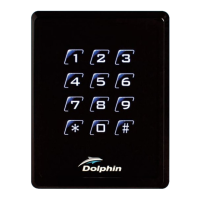
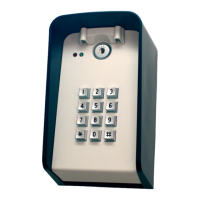
As the DOLKPS1KB/DOLKPS1KB/DOLKSF1KB is powered, it will begin
its booting process and beep for 1 minute. When the DOLKPS1KB is
finished:
KEYPAD TONES AND THE LED SIGNALS
STATUS TONES LED SIGNALS
1. In programming mode Solid Yellow
2. Successful key entry 1 Beep 1 Flash
3. Successful code entry 2 Beeps 2 Flashes
4. Unsuccessful code entry 5 Beeps 5 Flashes
5. Power-up delay Continuous Beeps Continuous
Flashes
6. Output relay activation 1-second Beep
7. Standby 1 flash every
second
8. System refreshing Quick flashes for
2.5 minutes
9. Pin already stored in
system
Long Beep
Quick Start Guide
3
Enter Programming Mode and Add Users
For User Access
Master Code
(4-8 digits)
User Access Code
(4-8 digits)
Master Code
(4-8 digits)
User Access Code
(4-8 digits)
User Number
(000-999)
1
2
3
4
*
*
#
#
#
0
0
1
2
*
*
NOTE:
Default Master Code 0000
NOTE:
For User Access using a code only see
"Direct Access Programming with Code"
section



 To Next Page