7
FEATURES AND ACCESSORIES
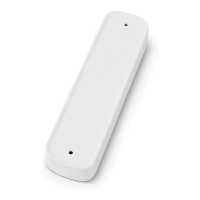
3. Make sure alignment indicator on
accessory base is pointed upward after install-
ing into power channel. Otherwise, damage to
accessory or power channel could occur.
Rotate base 90°, so longest lobe of power bayo-
net, and alignment indicator, are pointed up-
ward. See (FIG. 7).
FIG. 7
Alignment Indicator
Base Cover
Alignment Lug
4. When accessory base is properly aligned, align-
ment lugs on sides of base cover will sit into
power channel slot, providing a positive lock.
See (FIG. 7).
E. Operate Accessories
See Instructions included with power channel
accessories (if applicable).
F. Remove Accessories From Power
Channel
1. While pulling back on spring loaded, scalloped
base cover, rotate base 90° (alignment indicator
in line with power channel slot). See (FIG. 8).
FIG. 8
Power
Bayonet
Base Cover
Power
Channel Slot
Alignment Indicator
2. Remove accessory from power channel slot and
release spring loaded base cover. See (FIG. 8).
CLOSE AWNING
A. Close Awning
1. Remove ALL accessories from power channel.
See “F. Remove Accessories From Power
Channel” on page (7).
2. Loosen adjustable knobs and ensure awning re-
sets to original position and spring loaded button
engages. Then lightly tighten knobs on both arm
assemblies to help ensure rattle-free travel. See
(FIG. 3).
Pull top arm assembly down to verify knob
is NOT too tight. Adjustable pitch arm as-
sembly MUST still slide as normal. See
(FIG. 4).
3. Ensure power channel and LED light strip
switches are in the “OFF” position.
4. PINCH HAZARD. Keep CLEAR
of arm assemblies while closing awning. Arm as-
semblies will [fold / close] against back channel.
Failure to obey this warning could result in death
or serious injury.
Press and hold toggle to retract (ON) position on
(xed / wired) remote awning switch until awning
is fully closed. See (FIG. 1) & (FIG. 9).
Awning will stop when button is released
no matter how far awning is extended / re-
tracted.


 To Next Page
 Loading...