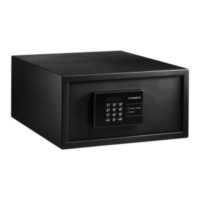
MDD403 Using the safe
21
✓ The safe confirms the change of the anti-tamper code with an audio tone.
Using the master key with the anti-tamper system
You can open the safe in any situation using the master key, even, for example, in the
event of an electronic fault.
A
➤ Remove the plastic cover concealing the key hole (fig. 6, page 5).
➤ Insert the master key into the lock.
➤ Open the safe by turning the master key 180° to the right (fig. 7, page 5).
✓ The display shows the message A-002.
✓ Turn the master key 180° to the left and remove the master key.
✓ The safe is blocked by the anti-tamper system.
I
➤ Reattach the plastic cover.
Using the anti-tamper system for the cover (optional)
As an option, the cover concealing the locking mechanism and internal components
can also be blocked.
➤ Remove the cover concealing the lock mechanism (fig. 6, page 5).
✓ The display shows the message A-001.
✓ The safe is blocked by the anti-tamper system.
I
➤ Reattach the cover.
NOTICE!
No unauthorised persons should have access to the master key.
Store the master key very carefully in a safe location.
NOTE
When you press the ENTER button on the blocked safe three short
beeps will sound. When you press ENTER again the display shows the
message CODE.
NOTE
When you press the ENTER button on the blocked safe three short
beeps will sound. When you press ENTER again the display shows the
message CODE.
0'',2VERRN6HLWH'RQQHUVWDJ)HEUXDU


 To Next Page
 Loading...