- 46 -
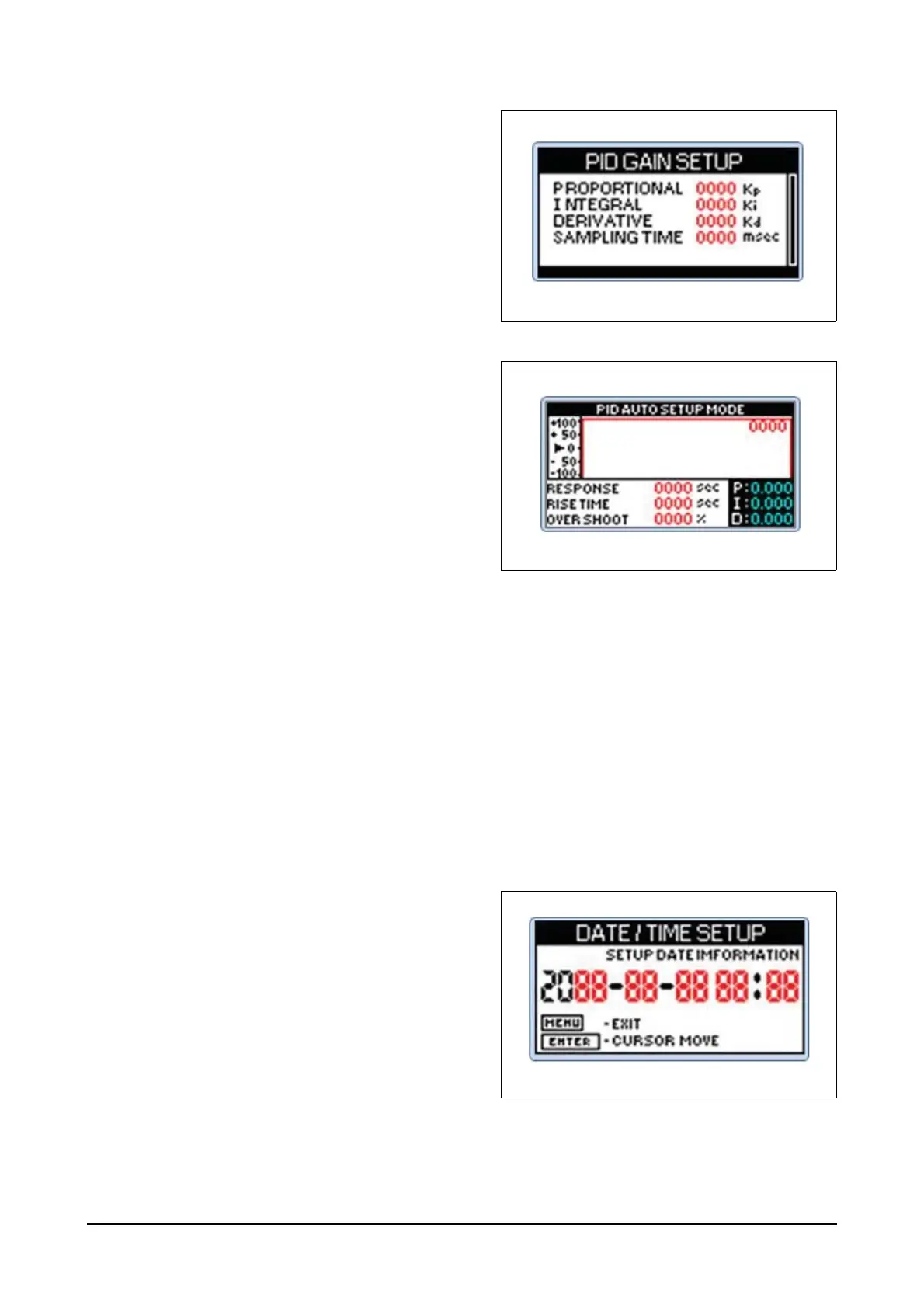
(5) PID gain setup menu
Users can input Kp, Ki and Kd values as
inputs to the PID control of the engine. Kp
means proportional values while Ki means
integral of the proportional values and Kd
means differential of the proportional val-
ues.
(6) PID auto setup menu
The menu offers function for automatic
designation of the P, I and D parameter
values related to the engine PID control.
After starting the engine, select DRIVE
UNIT MENU in the main menu while the
engine has no load and then PID auto
setup menu, press Enter. Then, the system
message shows "Auto Setup Mode PID
setting?" with YES or NO option. If you
select YES, the controller will repeatedly
change the RPM to automatically calculate
the optimized P, I and D values.
If the controller identifies the optimized P, I
and D values within 30 cycles, it will display
"PID Auto Setup Complete, OK". When you
press Enter, it will apply tuned P, I and D
values and close the menu.
If the controller fails to identify the opti-
mized P, I and D values within 30 cycles, it
will display "PID No Successful, OK".
When you press Enter, it will apply the final
P, I and D values and close the menu.
(7) Date/Time setup menu
Users can designate year, month, day,
hour and minute for the controller and the
designated time will be used to monitor the
system and manage fault messages.




 To Next Page