- 56 -
N - load curr
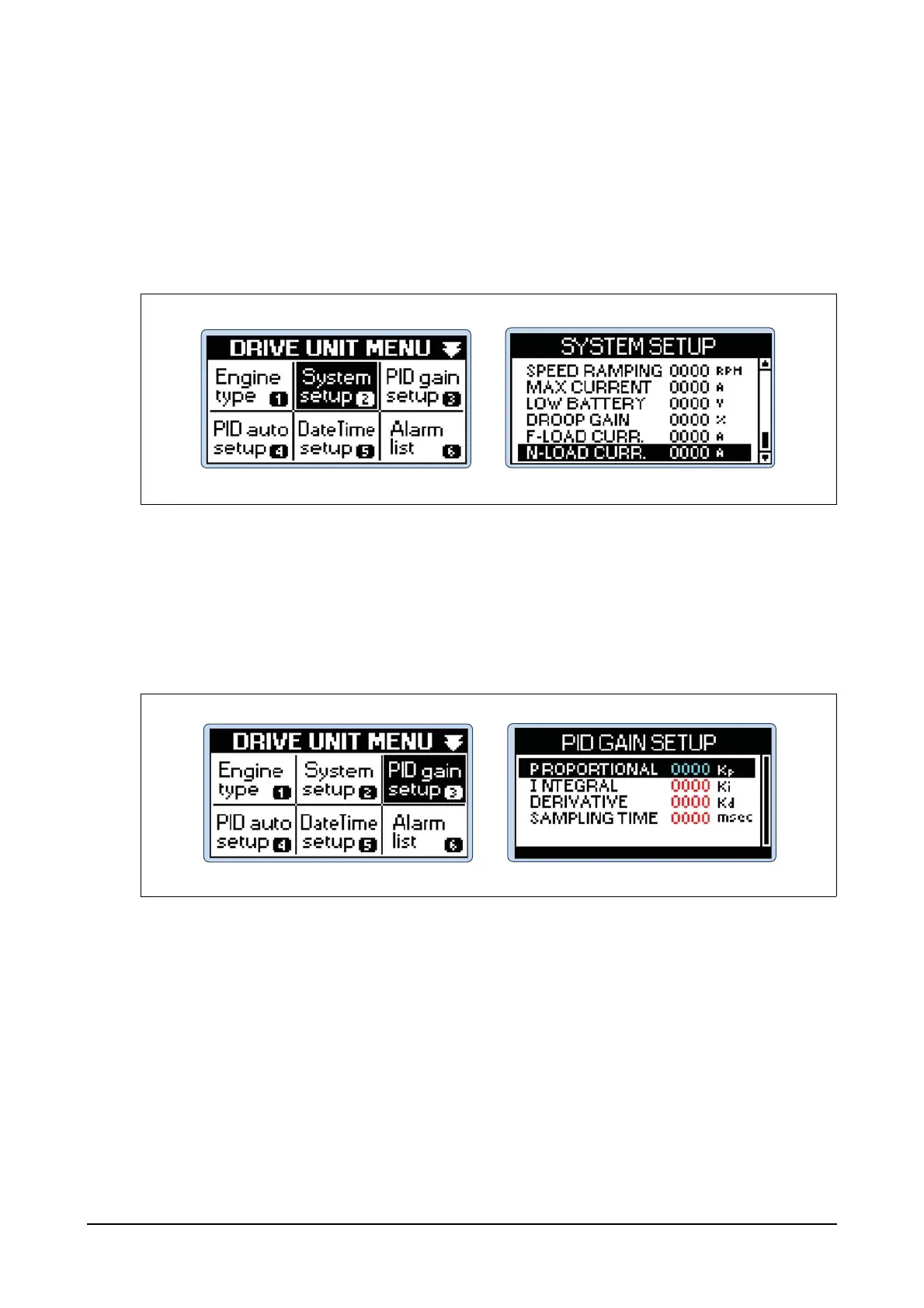
Step 1) Press Menu button of the controller and then you can see DRIVE UNIT MENU.
Step 2) Select System setup menu in DRIVE UNIT MENU using Up, Down, Left and Right buttons
and then press Enter button.
Step 3) Select N - LOAD CURR. in SYSTEM SETUP menu and then press Enter button. Use Up and
Down buttons to input the operating current values of the actuator for the generator with no
load and then press Enter button.
(3) PID gain setup configuration
Configuring PID gain Kp, Ki and Kd values
Step 1) Press Menu button of the controller and then you can see DRIVE UNIT MENU. Use Up,
Down, Left and Right buttons to select PID gain setup menu and then press Enter button.
Step 2) Use Up and Down buttons in PID GAIN SETUP to select PROPORTIONAL, INTEGRAL or
DERIVATIVE and then press Enter button.
EDL11160070
EDL11160071




 To Next Page