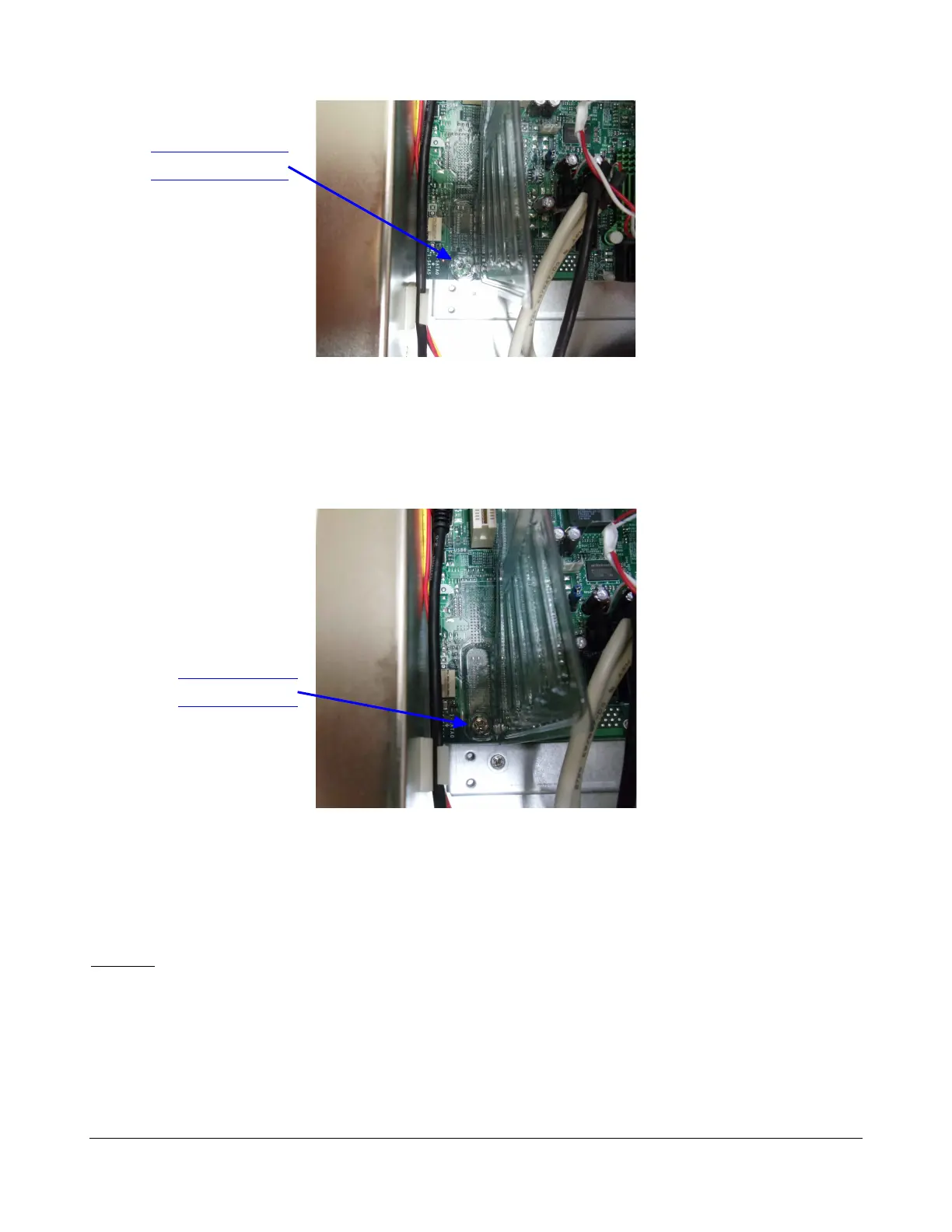
Figure 12: Dolphin Tunnel Opening
6. Remove the dust from the motherboard Southbridge heatsink (black heatsink).
7. After the Dolphin fan and motherboard Southbridge have been cleaned, re-attach the plastic
tunnel by putting back the screw that was previously removed (Figure 13).
Figure 13: Dolphin Tunnel Closing
8. Take the three hard disk drive enclosures out and clean the inside of the tray as illustrated in
Figure 15. Make sure to recall the order of the hard disk drives (which one was on the
top, which one was in the middle and which one was on the bottom) in order to put them back
in the same location after cleaning.
Caution: Make sure to re-position each Hard Disk Drive in its previous place or otherwise the RAID
might become corrupted.
To take the hard disk drive out, press the blue button to release the handle and then pull the handle.
When the drive is removed, use the soft brush and the vacuum cleaner to remove the dust as
presented in Figure 14:
D2K.DP.000255.DRM Page 16 Version 1.6
Doremi Cinema LLC
Screw Removed
Screw in Place



 To Next Page