22
ED50/ED100/ED250 09-2021DL4617-003
dormakaba ED50/ED100/ED250 OHC Header
Setup and Troubleshooting Instructions
Chapter 10
Parameters
Step
Press right button greater than s to
enter program mode.
Step
Press up or down button to scroll through
parameters until desired parameter is
displayed.
Step
Press right button to display current
parameter value.
Step
Press right button again to enable
editing of value, display will start
flashing.
Step
Press up or down button to select
desired parameter value.
Step
Press right button to save selected
value. Display stops flashing.
Step
Press left button to return to selected
parameter.
Step
Press up or down button to scroll
through parameters until next desired
parameter is displayed.
Step
Press left button for a minimum of s
to exit program mode.
.. Driving parameters.
Driving parameters (Table ..) can be set once initial
setup (Chapter ) has been completed.
• Reference Appendix A for driving parameter detail.
.. Changing parameter values.
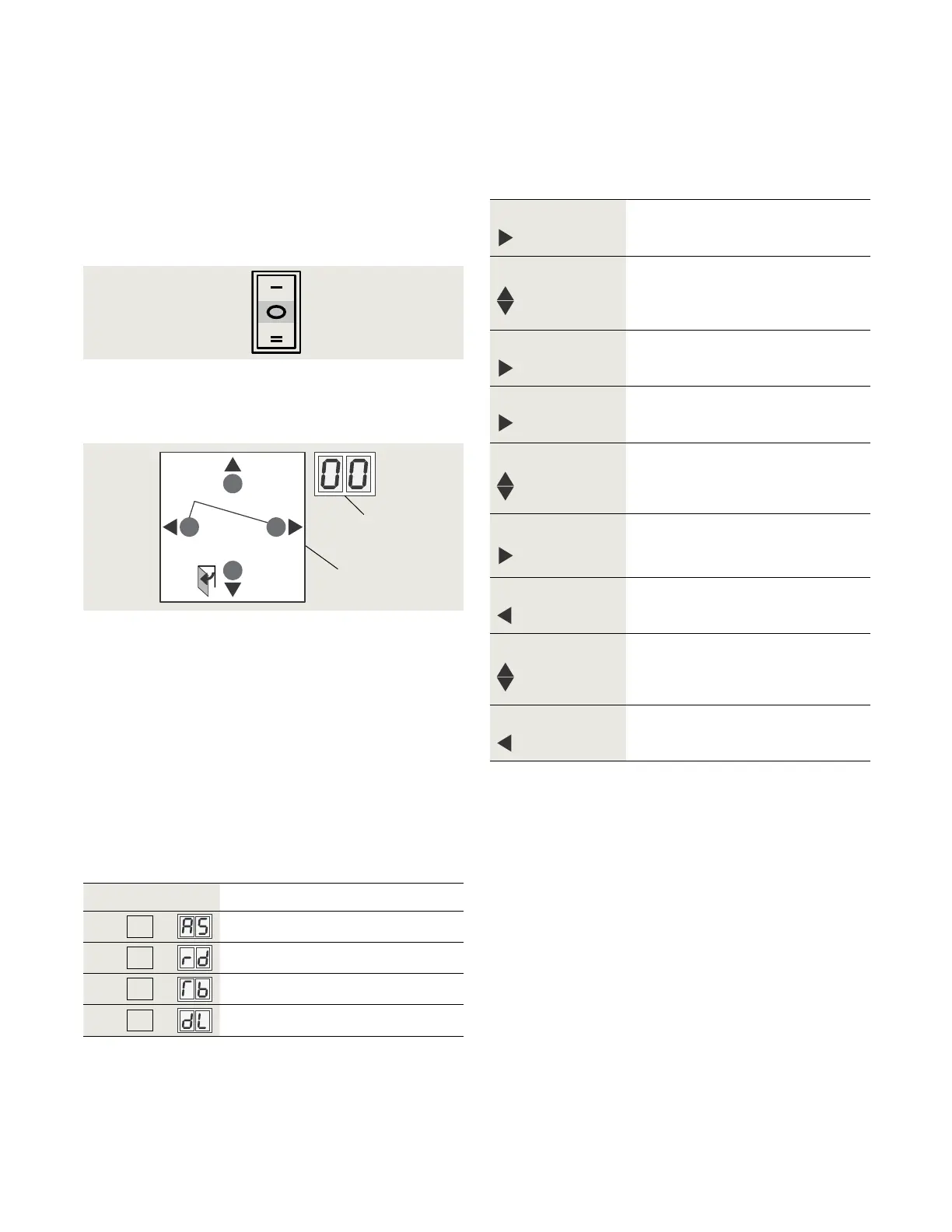
. Set Mode switch to the CLOSE position.
Fig. 10.1.1 Mode switch
Fig. 10.1.2 4 button keypad, 2 digit display
2 2 digit display
5 4 button keypad
> 3s Reset
< 3s Quit
> 3s
PRG
< 3s
LEARN
Fact-Setup
> 3s
> 8s
2
5
Close
.. Use button keypad as outlined in Steps through
to view or change parameter values.
Parameter
Description
AS
Installation type
rd
Reveal depth
Tb
Door width
dL
Door type
.. Configuration parameters.
Configuration parameters (Table ..) are set during
operator initial setup. Reference Chapter .
Table 10.2.1 Configuration parameters
. Configuration parameters
. Driving parameters
. ED/ED/ED OHC – viewing and changing parameters














 To Next Page