28
ED50/ED100/ED250 09-2021DL4617-003
dormakaba ED50/ED100/ED250 OHC Header
Setup and Troubleshooting Instructions
Chapter 11
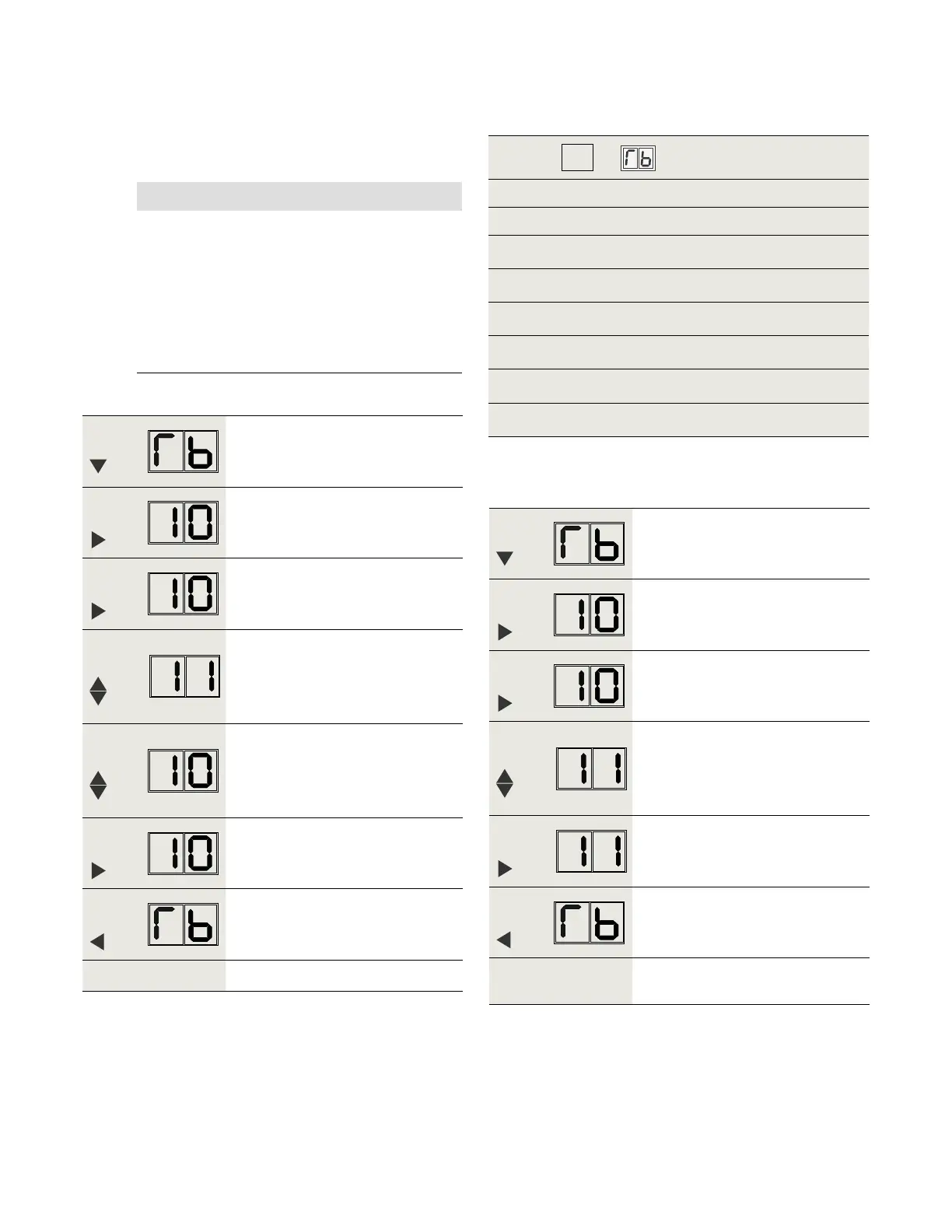
. Set door width parameter Tb
Step
Press
Scroll to Tb parameter.
Step
Press
Displays "" , factory setting.
Step
Press
"" starts flashing.
Step
Press
Scroll to
Step
Press
Scroll to
Step
Press
Saves value.
Display stops flashing.
Step
Press
Returns to door width parameter.
Step
Go to Para. ., Set reveal depth rd.
.. Set parameter TB value = .
NOTICE
. If door width = - /", Set Tb = .
• "" is Tb factory setting.
• For system to recognize Tb = , steps in
Para. .. must be followed.
. Set TB parameter to value other than .
• Follow steps in Para. ..
Step
Press
Scroll to Tb parameter.
Step
Press
Displays "" , factory setting.
Step
Press
"" starts flashing.
Step
Press
Scroll to
(Door width = - /" as
example)
Step
Press
Saves value entered.
Display stops flashing.
Step
Press
Returns to door width parameter.
Step
Go to Para. ., Set reveal depth
parameter rd.
.. Set parameter TB to value other than .
.. Set Tb door width parameter value.
.. Measure door width.
. Measure door width in inches or mm
Tb factory setting = .
Tb
Door width
Door width measurement
Inches [mm] Tb
- / [] - []
- / [] - []
- / [] - []
- / [] - [] *
- / [] - []
- / [] - []
Table 11.5.1 Tb parameter values














 To Next Page