English
Weather
IMPORTANT!
The weather function uses data services that can be costly. We
recommend that you check your data rates with your service provider.
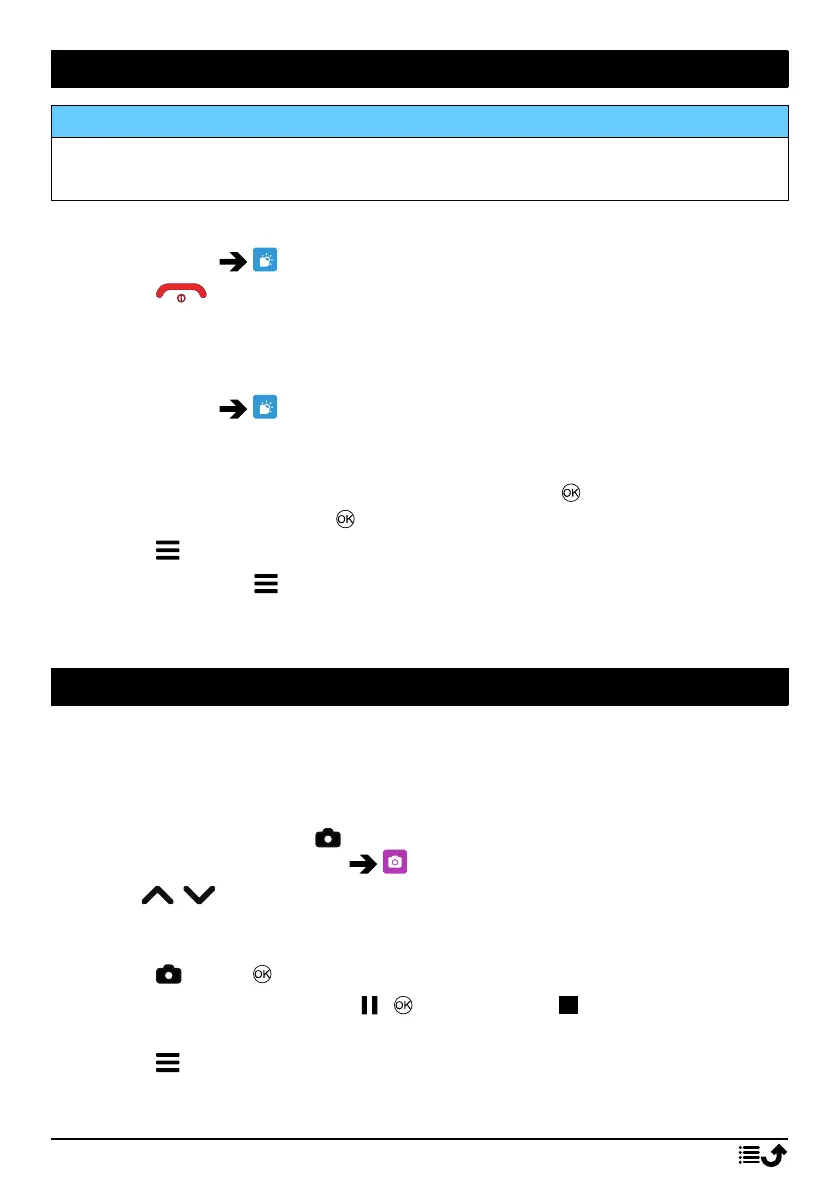
View the weather for your chosen city.
1. Press Menu Weather.
2. Press to return to standby mode.
Note! In order to see the weather, you must first select a city.
Weather settings
1. Press Menu Weather.
2. Select Weather: The first time you open the weather function, you
will be requested to enter the city nearest to you for your weather
forecasts. Enter the name of the city and press to search. Select the
city in the list and press .
3. Press for options.
• City: press and Edit to edit or Delete to delete the city.
• Wallpaper and select On (to view the weather in standby mode).
• Temperature unit to select between Celsius and Fahrenheit.
Camera
You can take photos, record videos and view your photos and videos using
the camera menu.
To get sharp photos and videos, wipe the lens clean with a dry cloth.
1. Press shortcut button
.
Alternatively press Menu Camera.
2. Use
/ to zoom in and out.
Note! Zoom may reduce picture quality.
3. Press
or the to take photo or start/stop video recording.
4. For video recording, press ( ) to pause and to stop the record-
ing. Press Yes to save the recording.
5. Press for more options:
24



 To Next Page