English
Tip: Press and hold the volume keys + or – to temporarily switch off the
ringtone.
Note! You can also let the phone automatically answer calls within a set
time from specific numbers. See Auto answer, p.40.
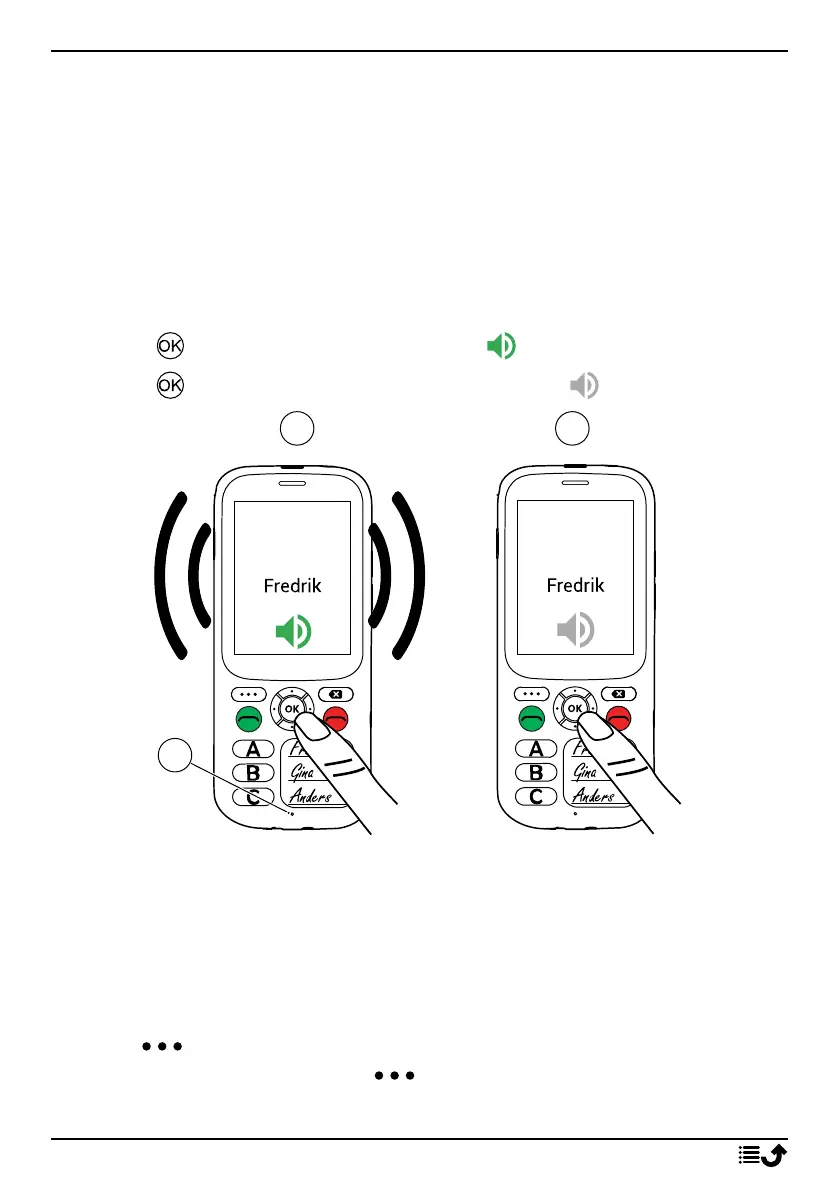
Loudspeaker mode
The loudspeaker allows you to speak without holding the phone closely to
the ear. Speak clearly into the phone microphone (A) at a maximum dis-
tance of 1 m.
1. Press to activate loudspeaker mode .
2. Press again to deactivate loudspeaker mode .
Call information
During a call, the outgoing or incoming phone number and the elapsed call
time is displayed. If the identity of the caller is withheld or unknown, Pri-
vate number or Unknown are displayed.
Call options
Options
During a call the options button ( ) give access to additional functions.
13



 To Next Page