English
Insert SIM card, memory card and battery
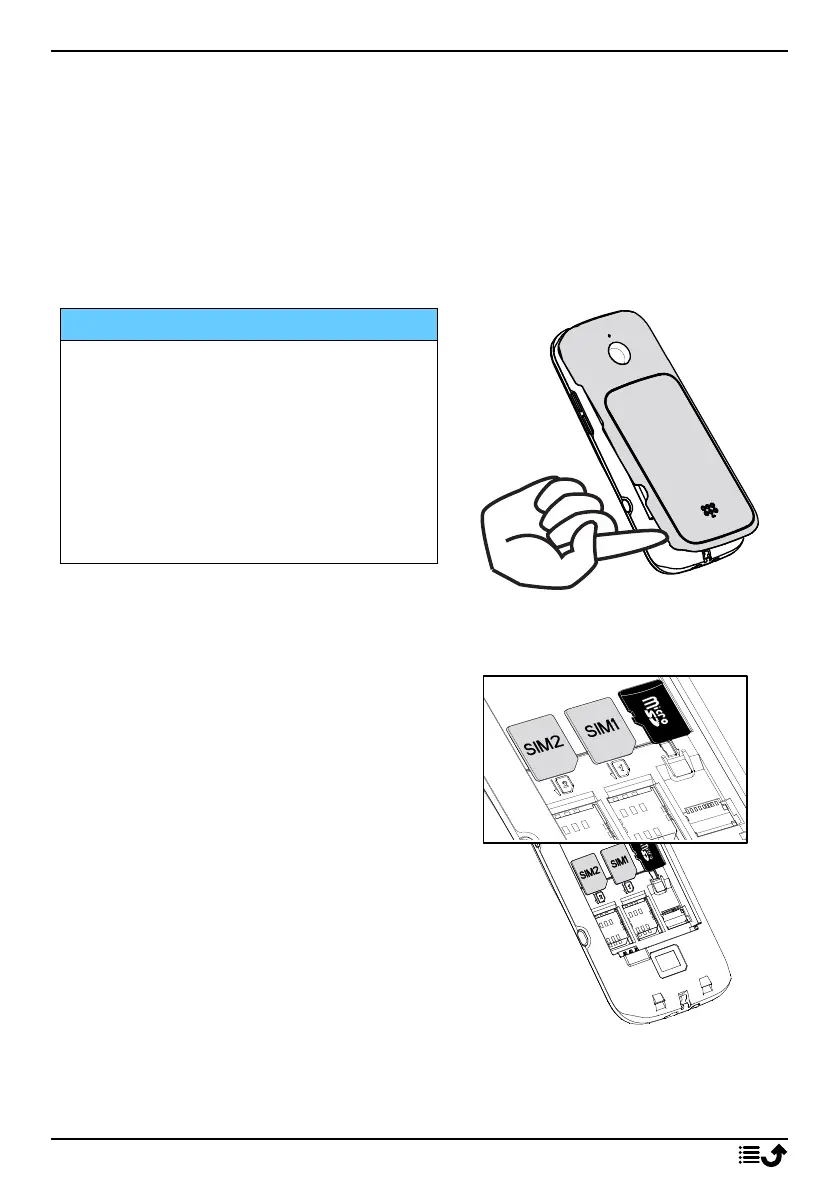
The SIM and memory card holder’s are located inside the battery
compartment.
Tip: Take care not to scratch the metallic contacts on the cards when
inserting them into the card holders.
Remove the battery cover
IMPORTANT!
Turn off the phone and disconnect
the charger before removing the
battery cover.
Be careful not to damage your
fingernails when you remove the
battery cover. Do not bend or twist
the battery cover excessively as it
may get damaged.
Insert the SIM and memory cards
Insert the micro-SIM (3FF) card by gen-
tly sliding it into the SIM card slot. Make
sure that the SIM card’s contacts are
facing inwards and that the cut off cor-
ner is as shown. You can insert a second
SIM card so you can have two phone
numbers or service providers on a single
device. Data transfer speeds may be
slower, in some cases, if two SIM cards
are inserted in the device than when
one SIM card is inserted.
Take care not to scratch or bend the contacts on the SIM card. Should you
need, but have problem to remove/replace the SIM card, use adhesive
tape on the exposed part of the SIM card to pull it out.
2



 To Next Page