English
Browsestyle
Youcanchangeimageview.DefaultisLarge,youcanalsoselect
ListorMedium.
InListthelename,thedateandthesizeoftheimageisshown.
Sortby
SelectifyouwanttosortyourimagesbyNameorTime.
Storage
Selectwherethephoneshouldsavelesifyouhavememorycard
installed.
Deleteall
PressOKtodeleteallimages.PressYestoconrmorNotoreturn.
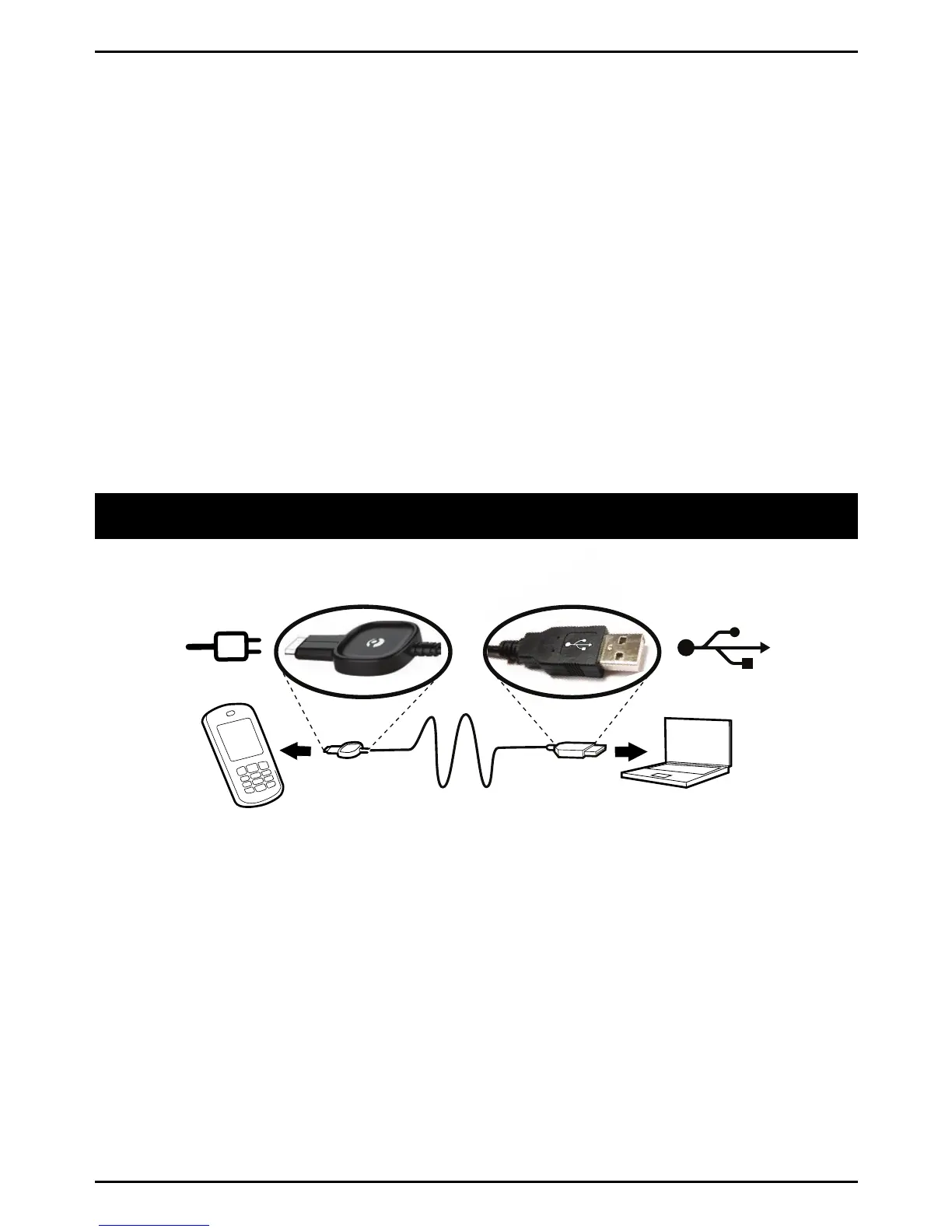
Connectingthephonetoacomputer
Connectthephonetoacomputerandstarttransferringpictures,
musicandotherletypes.AllyouhavetodoisconnectaUSBcable
betweenthephoneandcomputer.Fromyourcomputer'sleexplorer,
youcandraganddropcontentbetweenyourphoneandthecomputer.
Note!
Youmightnotbeabletotransfersomecopyright-protectedmaterial.
Draganddropcontentbetweenphoneandacomputer
1.ConnectyourphonetoacomputerusingaUSBcable.
2.Waituntilthephone/memorycardappearsasexternaldisksin
theleexplorer.
22



 To Next Page