Need help?
Do you have a question about the Dors 200 and is the answer not in the manual?
Lists the items included in the DORS 200 automatic detector package.
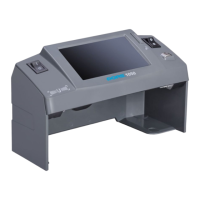
Identifies and labels the key external parts of the DORS 200 detector.
Lists essential operating and safety requirements for long-term and reliable detector use.
Details initial setup steps including safety checks, power connection, and component installation.
Explains how to switch on the detector, self-test, and understand basic display indicators.
Guides on inserting banknotes, interpreting verification results, and handling suspicious notes.
Describes how to access and clear the report of verified banknotes and their details.
Explains how to use the detector with a built-in rechargeable battery and check its status.
How to adjust sound signals and change the banknote output direction for operation.
Step-by-step guide on how to install or remove the removable output tray.
Explains error codes, their causes, and troubleshooting steps for detector issues.
 General
| Brand | Dors |
|---|---|
| Model | 200 |
| Category | Security Sensors |
| Language | English |


 To Next Page