www.ee-co.com M70-100 Manual V2 Page 8 of 22
D. OPERATING INSTRUCTIONS
D.1 Installing Core Adapters
Do not perform any installation while the main switch is on
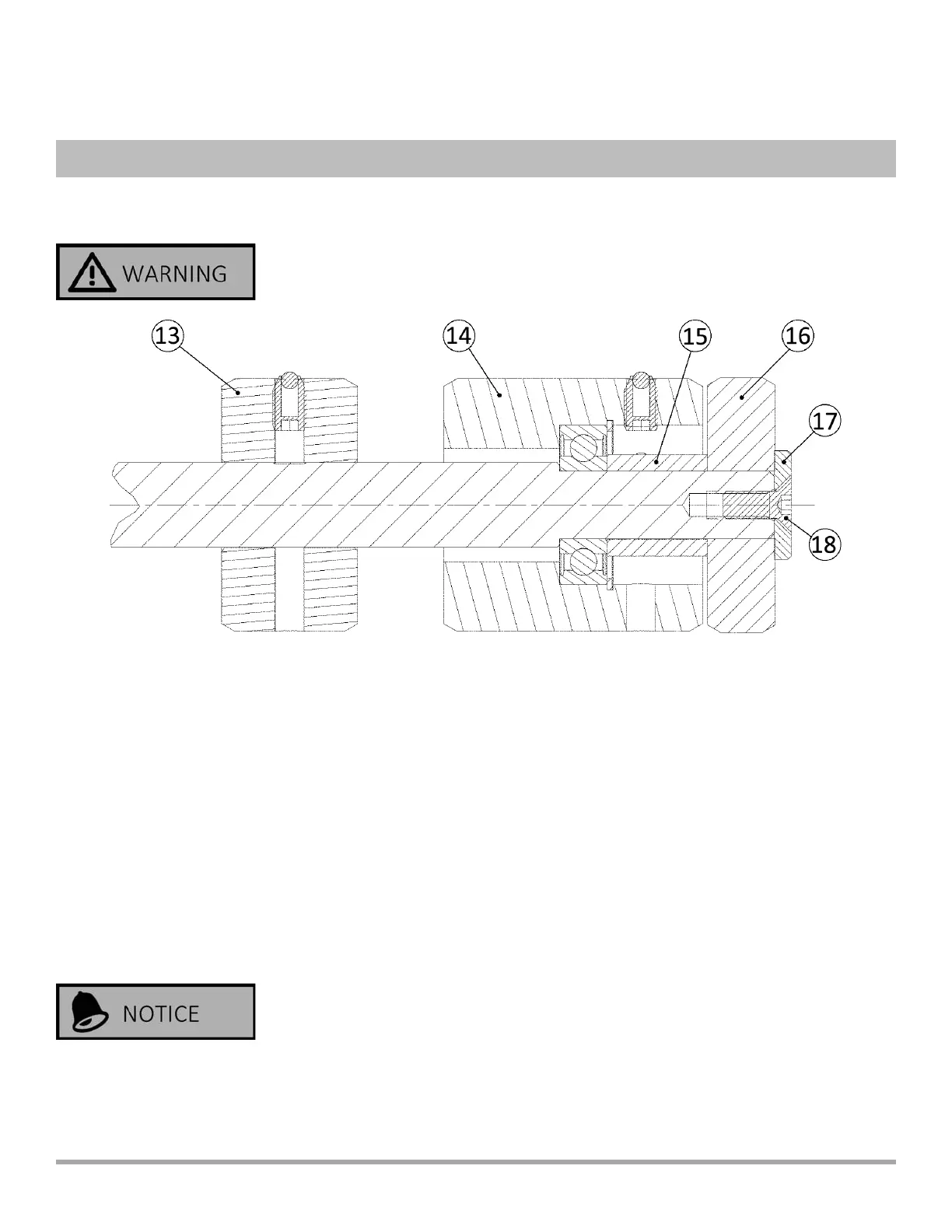
Install the sliding core adapter (13), the staonary core adapter (14), the spacer (15), and anvil
(16) on the core support bar. Use the washer (17) and athead socket screw (18) to clamp the
pieces on the bar securely. Insure the sliding and staonary core adapters rotate freely.
HINT: For quicker diameter change, leave the 6” and 3” sliding adapters on the bar at all
mes.
Slide a core onto the support bar. Be sure the bar is level with the core resng on the drive
rolls. If not, raise or lower the le end of the bar as necessary. Lock it in place with the
clamping lever.
Be careful working in the area around the guarded cung blade.



 To Next Page