CONTACT US AT www.DRpower.com 23
Adjusting the Brake Cables
Tools needed:
5.5mm Allen Wrench
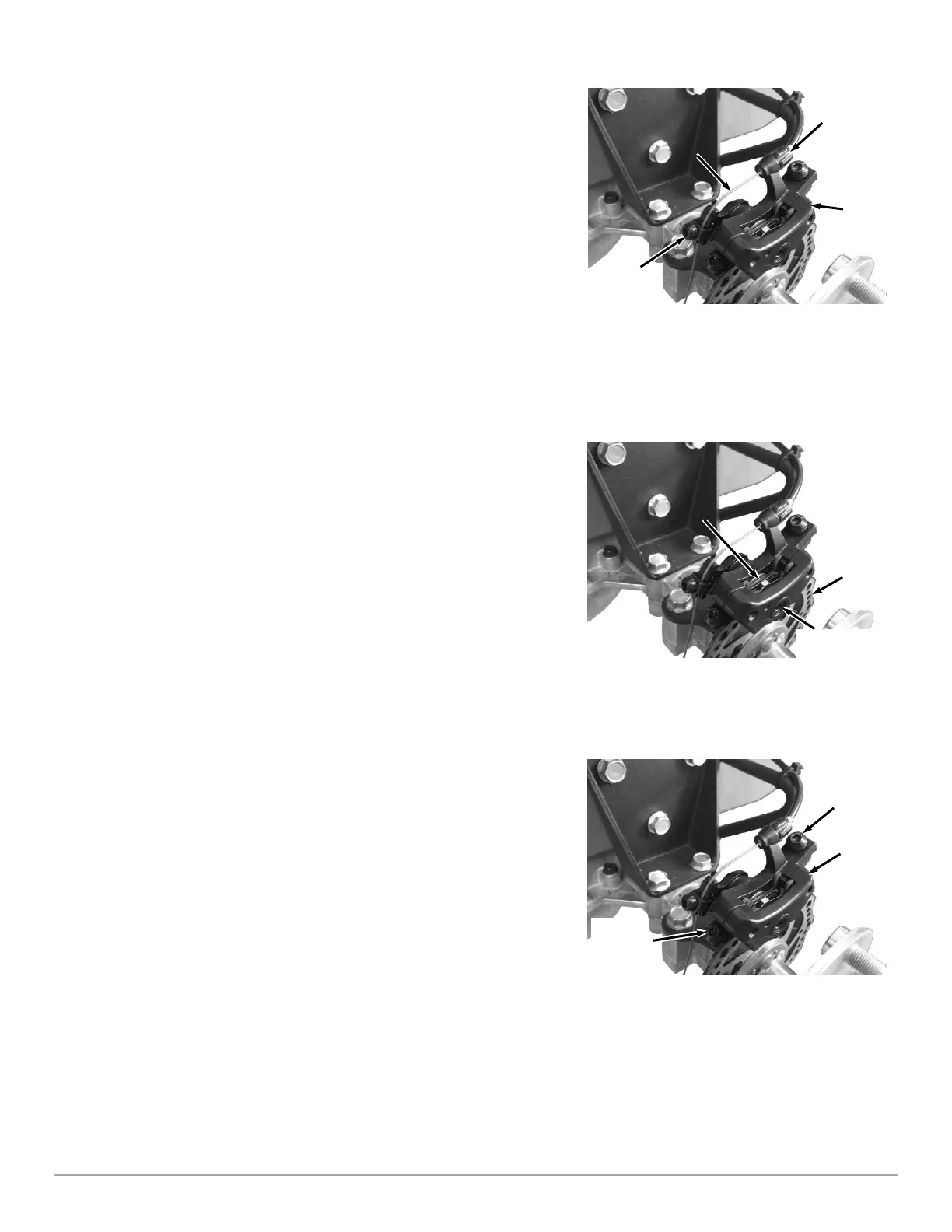
On each brake caliper there is a tool free Micro Adjust Knob (Figure 46). For
most maintenance this knob can be unscrewed and will tension the cable.
Once the Micro Adjust Knob is close to the end of its thread travel, it is
recommended to do a full adjustment.
Note: Although not mandatory, it is recommended that the wheel be removed
before completing a full adjustment.
1. Screw the Micro Adjust Knob all the way back into the caliper.
2. Using the 5.5mm Allen Wrench, loosen the Cable Clamp.
3. Pull the cable through the clamp removing and slack in the cable.
4. While holding tension on the cable, retighten the Cable Clamp with the
5.5mm Allen wrench.
Adjusting the Brake Pads
Tools needed:
5.5mm Allen Wrench
Note: Brake Pads may need adjustment after the pads wear significantly
1. Remove the wheel from the side that needs adjusting.
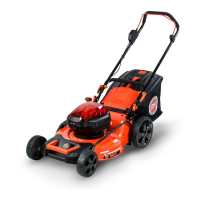
2. Locate the Pad Adjustment Screw on the outboard side of the caliper (Figure
47).
3. Tighten the adjustment screw using the 5.5mm Allen wrench until just
before the Brake Pad just touches the Brake Rotor.
Adjusting the Caliper Alignment
Tools needed:
5.5mm Allen Wrench
Note: Caliper Alignment should only be done after the Brake Pads have been
adjusted
1. Remove the wheel from the side that needs adjusting.
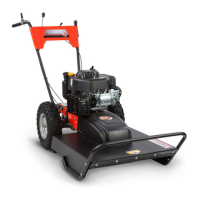
2. Using the 5.5mm Allen Wrench, loosen the Caliper Mounting Bolts 1 turn
(Figure 48).
3. While manually squeezing the caliper closed on the Brake Rotor, Retighten
the Caliper mounting Bolts.


 To Next Page