Operation
90
Operating Instructions Caleo, Software 2.n
Selecting Menus
Selecting Menus
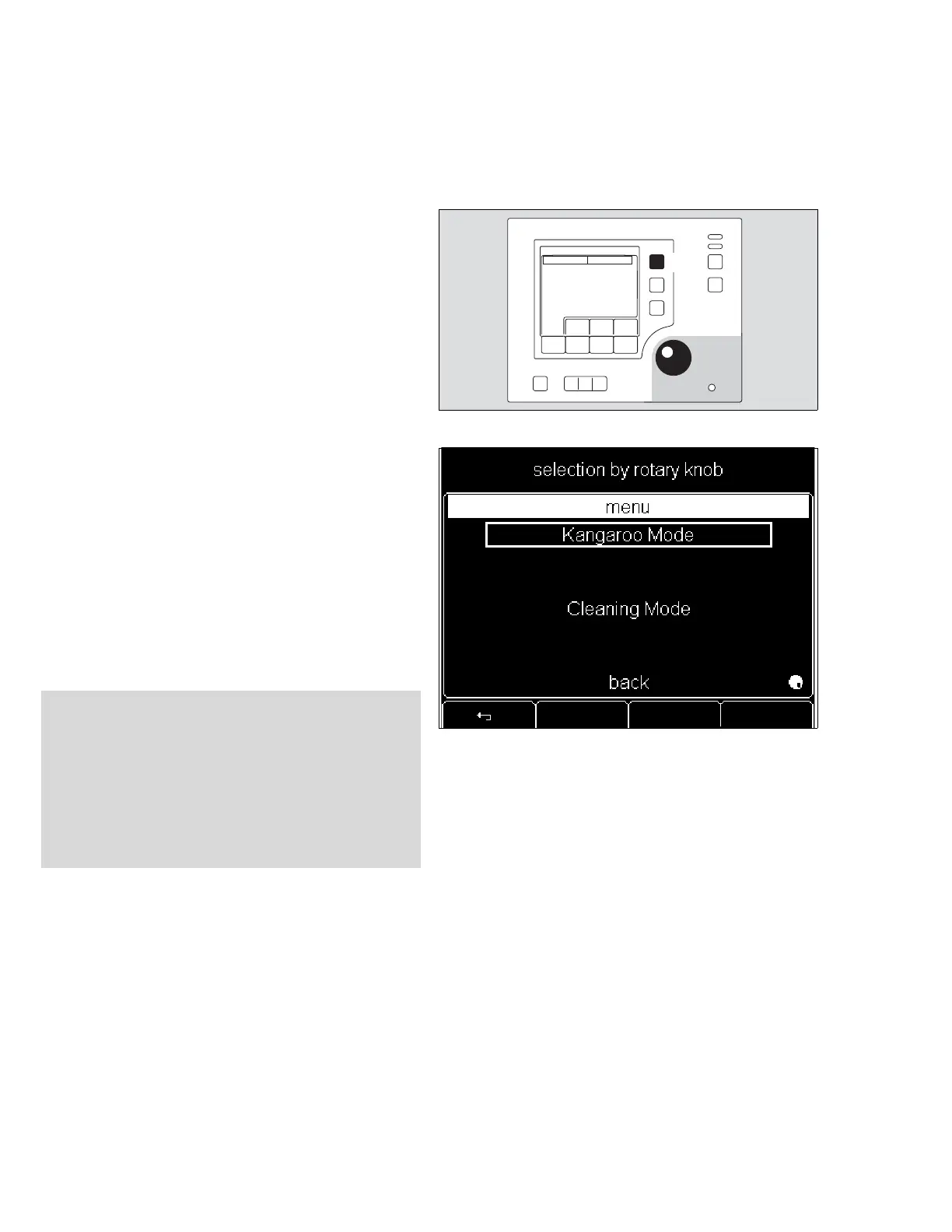
1 Press »menu« key to select menus.
The required mode may be selected from the menu displayed.
2 Turn rotary knob to select item.
2 Press rotary knob to confirm selection (to activate item).
Kangaroo Mode
®
NOTE: In Kangaroo Mode the incubator is always operating in
air temperature control mode.
If Caleo was previously operating in air temperature mode, the
air temperature setpoint will remain active while in Kangaroo
Mode.
If Caleo was previously operating in skin temperature mode,
the average of the last 3 minutes of air temperature values will
be used as setpoint. The yellow skin (tummy) temperature
sensor and the peripheral (toe) temperature sensor can be
used in Kangaroo Mode to monitor the skin temperature of the
infant. Several specific alarm limits are available for Kangaroo
Mode and can be set individually in configuration mode. (see
page 107).
WARNING !
When using Kangaroo Mode, central temperature of the
infant, who is outside the controlled climate of the
incubator, must be monitored constantly.
Particular attention must be paid to critical care patients’
vital parameters, especially a critical O
2 partial pressure.
Ensure that all cables and hoses are routed correctly and
safely.












 To Next Page