EasyManua.ls Logo

Dräger drager X-dock 5300 - User Manual

Dräger drager X-dock 5300
386 pages
Go to English
Print Icon
To Next Page IconTo Next Page
Loading...
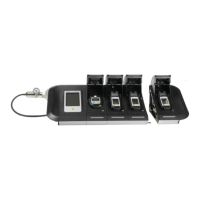
Dräger X-dock 5300
Dräger X-dock 6300/6600
i
de
Gebrauchsanweisung
4
ru
Руководство по зксплуатации
195
en
Instructions for Use
19
hr
Upute za uporabu
211
fr
Notice d’utilisation
35
sl
Navodilo za uporabo
227
es
Instrucciones de uso
51
sk
Návod na použitie
243
pt
Instruções de uso
68
cs
Návod k použití
259
it
Istruzioni per l'uso
84
bg
Инструкция за употреба
275
nl
Gebruiksaanwijzing
100
ro
Instrucţuni de utilizare
291
da
Brugsanvisning
116
hu
Használati útmutató
307
fi
Käyttöohjeet
132
el
Οδηγίες Χρήσης
323
no
Bruksanvisning
147
tr
Kullanma talimatları
340
sv
Bruksanvisning
163
zh
使用说明
356
pl
Instrukcja obsługi
179
ja
取扱説明書
370

Table of Contents

Other manuals for Dräger drager X-dock 5300

Questions and Answers

  • C
    ccombsSep 10, 2025
    Why is my Dräger drager X-dock 5300 Test Equipment not communicating with my PC?
    • B
      Bryan BarreraSep 10, 2025
      If the Dräger Test Equipment isn't communicating with your PC, start by checking the cabling of the Ethernet cable. If the cable is correctly connected, try replacing it. If the issue persists, reconfigure the IP address and ensure the firewall isn't blocking data traffic. If your network uses the IP address 192.168.79.XXX, this may cause issues, so try another address range.
  • S
    Scott BakerAug 22, 2025
    Why Dräger Docking Station gas monitors do not pass the gas tests?
    • W
      wintersstephanieAug 23, 2025
      If gas monitors are failing gas tests on the Dräger Docking Station because test gas isn't reaching the instrument, consider these potential causes: * Incorrect hose connections: Ensure all hose connections are properly connected. * Incorrect station gas configuration: Verify that the station gas configuration is correct. * Empty or closed test gas cylinder: Check the test gas cylinder to ensure it's neither empty nor closed. * Incorrectly set pressure regulator valve: Verify the setting of the pressure regulator valve.
  • M
    moyerwendyAug 25, 2025
    What to do if Dräger Docking Station does not start?
    • J
      jonathan36Aug 25, 2025
      If your Dräger Docking Station fails to start, it could be due to: * A disconnected power supply: Check all connections to the mains supply, power pack, and the station itself. * A defective power pack: If the connections are secure and the station still doesn't start, the power pack may be defective and require replacement.
  • M
    Melinda GriffinAug 27, 2025
    What to do if Dräger Docking Station does not recognize USB storage device?
    • D
      danielle33Aug 27, 2025
      The formatting of USB storage devices varies, depending on the manufacturer. This applies to the file system (e.g. FAT32 or NTFS) as well as the partitioning. Dräger recommends using FAT32 and a partitioning that contains partitioning tables (USB-ZIP or USB-HDD).
  • T
    Thomas SimmonsAug 27, 2025
    What to do if Dräger Docking Station gas monitor not detected?
    • M
      Mrs. Lori WilcoxAug 28, 2025
      If a gas monitor isn't being detected by the Dräger Docking Station, consider the following: * The module might be dirty: Clean the module. * The instrument might be dirty: Clean the instrument. * The gas monitor SW version might be out of date: Update the gas monitor SW. If the issue persists, contact DrägerService as the module may be defective.
  • F
    fjonesAug 29, 2025
    What to do if Dräger Docking Station touchscreen does not respond?
    • M
      Monica HerringAug 29, 2025
      If the Dräger Docking Station touchscreen isn't responding or has limited response, it might not be calibrated correctly anymore. Recalibrate the touchscreen.
  • J
    joshuagibsonSep 18, 2025
    What causes the alarm element test to fail on Dräger drager X-dock 5300?
    • C
      Chad VargasSep 18, 2025
      If the alarm element test is not being carried out on the Dräger Test Equipment, check whether external light sources are creating interference. Reposition light sources or the station as necessary.
  • A
    Alice MartinSep 12, 2025
    What to do if the Dräger drager X-dock 5300 touchscreen is not working properly?
    • M
      Megan PerezSep 12, 2025
      If the Dräger Test Equipment's touchscreen is not working correctly, it may need recalibration. Recalibrate the touchscreen.
  • A
    andrew32Sep 8, 2025
    How to troubleshoot a Dräger drager X-dock 5300 Test Equipment station that does not start?
    • H
      Hannah DaltonSep 8, 2025
      If your Dräger Test Equipment station doesn't start, check the connections to the mains supply, power pack, and the station itself. If the connections are correct, the power pack might be defective and need replacement. Also, verify that the station can be started by pressing the function key.
  • P
    Patricia GriffithSep 5, 2025
    What to do if Dräger Docking Station shows module X does not support firmware version error?
    • B
      Becky SmithSep 5, 2025
      If the Dräger Docking Station displays a 'Module X does not support firmware version' error, it means that the firmware version of the affected gas monitor is not compatible with the X-dock. Perform an update with the CC Vision PC software.

Dräger drager X-dock 5300 Specifications

General IconGeneral
BrandDräger
Modeldrager X-dock 5300
CategoryTest Equipment
LanguageEnglish

Related product manuals