EasyManua.ls Logo

Dräger X-dock 6600 - User Manual

Dräger X-dock 6600
386 pages
Go to English
Print Icon
To Next Page IconTo Next Page
Loading...
Dräger X-dock 5300
Dräger X-dock 6300/6600
i
de
Gebrauchsanweisung
4
ru
Руководство по зксплуатации
195
en
Instructions for Use
19
hr
Upute za uporabu
211
fr
Notice d’utilisation
35
sl
Navodilo za uporabo
227
es
Instrucciones de uso
51
sk
Návod na použitie
243
pt
Instruções de uso
68
cs
Návod k použití
259
it
Istruzioni per l'uso
84
bg
Инструкция за употреба
275
nl
Gebruiksaanwijzing
100
ro
Instrucţuni de utilizare
291
da
Brugsanvisning
116
hu
Használati útmutató
307
fi
Käyttöohjeet
132
el
Οδηγίες Χρήσης
323
no
Bruksanvisning
147
tr
Kullanma talimatları
340
sv
Bruksanvisning
163
zh
使用说明
356
pl
Instrukcja obsługi
179
ja
取扱説明書
370

Table of Contents

Other manuals for Dräger X-dock 6600

Questions and Answers

  • R
    russell07Sep 3, 2025
    What to do if Dräger Docking Station shows module not found error?
    • S
      Susan MullenSep 3, 2025
      The 'Module not found' or 'Wrong (incompatible) SW version' error message on the Dräger Docking Station can occur if a master is connected to modules with different software versions. In this case, a firmware update has to be performed via the master, even if the most current firmware is already installed on the master. Also, check whether all connections are correctly connected and screwed tight, because the electrical connection may be faulty.
  • A
    amanda78Sep 1, 2025
    What to do if Dräger Docking Station alarm element test not carried out?
    • C
      chrisabbottSep 1, 2025
      If the alarm element test is not being carried out on the Dräger Docking Station, external light sources might be interfering with the test. Check for any interfering external light sources and reposition them or the station as needed.
  • T
    Troy TaylorAug 31, 2025
    Why Dräger Docking Station measuring chamber is leaky?
    • A
      Andrew ThomasAug 31, 2025
      A leaky measuring chamber in the Dräger Docking Station may be caused by a dirty instrument and/or module. Clean the instrument and/or module. Alternatively, the seal may be worn and needs replacing.
  • J
    Jason SkinnerAug 29, 2025
    What to do if Dräger Docking Station touchscreen does not respond?
    • H
      Heather WilkinsAug 29, 2025
      If the Dräger Docking Station touchscreen isn't responding or has limited response, it might not be calibrated correctly anymore. Recalibrate the touchscreen.
  • C
    coopertravisAug 27, 2025
    What to do if Dräger Docking Station gas monitor not detected?
    • M
      Morgan SpearsAug 27, 2025
      If a gas monitor isn't being detected by the Dräger Docking Station, consider the following: * The module might be dirty: Clean the module. * The instrument might be dirty: Clean the instrument. * The gas monitor SW version might be out of date: Update the gas monitor SW. If the issue persists, contact DrägerService as the module may be defective.
  • L
    Linda PowellAug 27, 2025
    What to do if Dräger Docking Station does not recognize USB storage device?
    • J
      Jennifer TranAug 27, 2025
      The formatting of USB storage devices varies, depending on the manufacturer. This applies to the file system (e.g. FAT32 or NTFS) as well as the partitioning. Dräger recommends using FAT32 and a partitioning that contains partitioning tables (USB-ZIP or USB-HDD).
  • L
    Lauren WallaceAug 25, 2025
    What to do if Dräger Docking Station does not start?
    • H
      heatheralexanderAug 25, 2025
      If your Dräger Docking Station fails to start, it could be due to: * A disconnected power supply: Check all connections to the mains supply, power pack, and the station itself. * A defective power pack: If the connections are secure and the station still doesn't start, the power pack may be defective and require replacement.
  • H
    hrossAug 22, 2025
    Why Dräger Docking Station gas monitors do not pass the gas tests?
    • J
      Jasmine RothAug 22, 2025
      If gas monitors are failing gas tests on the Dräger Docking Station because test gas isn't reaching the instrument, consider these potential causes: * Incorrect hose connections: Ensure all hose connections are properly connected. * Incorrect station gas configuration: Verify that the station gas configuration is correct. * Empty or closed test gas cylinder: Check the test gas cylinder to ensure it's neither empty nor closed. * Incorrectly set pressure regulator valve: Verify the setting of the pressure regulator valve.

Summary

For Your Safety

General Safety Notes

Essential safety guidelines for product usage, maintenance, and user competence.

Description

Intended Use

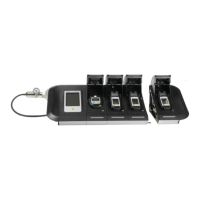
Defines the Dräger X-dock as a modular maintenance station for automated testing of gas detectors.

Installation

Basics

Switching the Station On or Off

Instructions for powering the Dräger X-dock station on, off, and entering standby mode.

Initial Setup of Station

Step-by-step guide for the initial configuration and setup of the Dräger X-dock station.

Configuring the Test Gas Inlet

Guide on how to configure the test gas inlets for different gas detectors and manufacturers.

Settings

Details expert settings for fresh air input, quick bump tests, and handling missing test gases.

Use

Inserting or Removing the Gas Detector into or from a Module

Instructions on how to correctly insert and remove gas detectors from the X-dock modules.

Conducting a Test

Guide on how to perform different types of tests (QT, EXT, CAL) on gas detectors.

Maintenance

Perform a Firmware Update

Performing Firmware Updates of the Maintenance Station

Step-by-step guide on how to download and install firmware updates for the X-dock station.

Dräger X-dock 6600 Specifications

General IconGeneral
Device TypeCalibration station
Supported GasesVarious gases depending on sensors used
Testing FunctionsCalibration, bump test
Power Supply100 – 240 VAC, 50/60 Hz
Storage Temperature-20 to 60 °C
WeightApprox. 4.5 kg
Data LoggingYes
ConnectivityUSB, Ethernet
SoftwareDräger X-dock Software

Related product manuals