1 2
English
Browse the Web
Visit your favorite websites.
Check your E-mail
Keep in touch with friends and family.
Watch YouTube™ Videos
Browse the world’s most popular video- sharing community.
Read your favorite books
Download thousands of books with the included E-book reader * .
Discover thousands of apps for Android™ Games, applications, and more with Play Store
(Customer need to download it from Google™ Play Store).
Connect to the Internet wirelessly
High-speed Wi-Fi 802.11 b/g/n/ac(2.4g-5g) networking.
Enjoy your media library anywhere.
Portable powerhouse plays popular music, video, and photo formats.
Micro SD memory card reader.
Increase your storage capacity (up to 128GB supported).
Built-in camera
Convenient Front-facing Camera 2.0MP / Rear Camera 2.0MP.
Automatic orientation detection
Read any way you want; the display adjusts automatically!
Reading books in the ePub format requires the included E-book reader application.
FEATURES
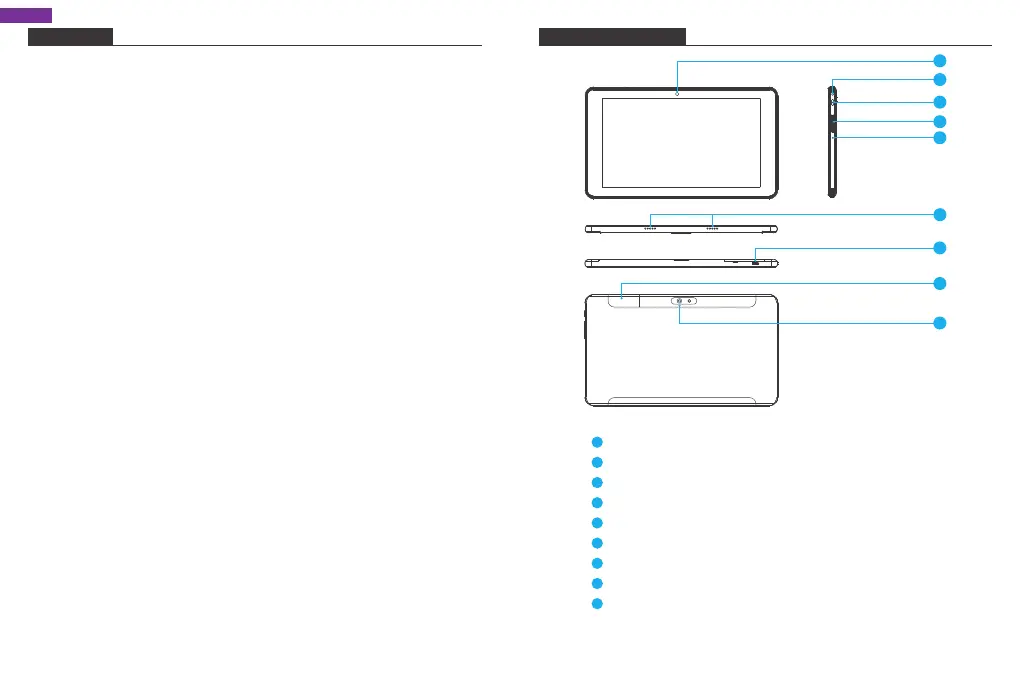
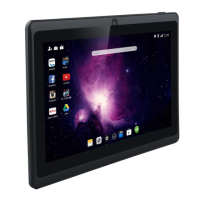
UNIT AT A GLANCE
Front Camera
Headphone: Audio output connection for headphones.
Power Button / Screen Saver
VOL+ / VOL-
Reset
Speaker
USB Port: Connect to a USB device / Power Port.
Micro SD Card: Load external micro SDcards here
Rear Camera
1
2
3
4
5
6
7
8
9
4
3
5
2
1
7
6
9
8


 To Next Page