Dragonfly Manual Version 3© Page 52
Completing the ICS 205A Incident Communication List
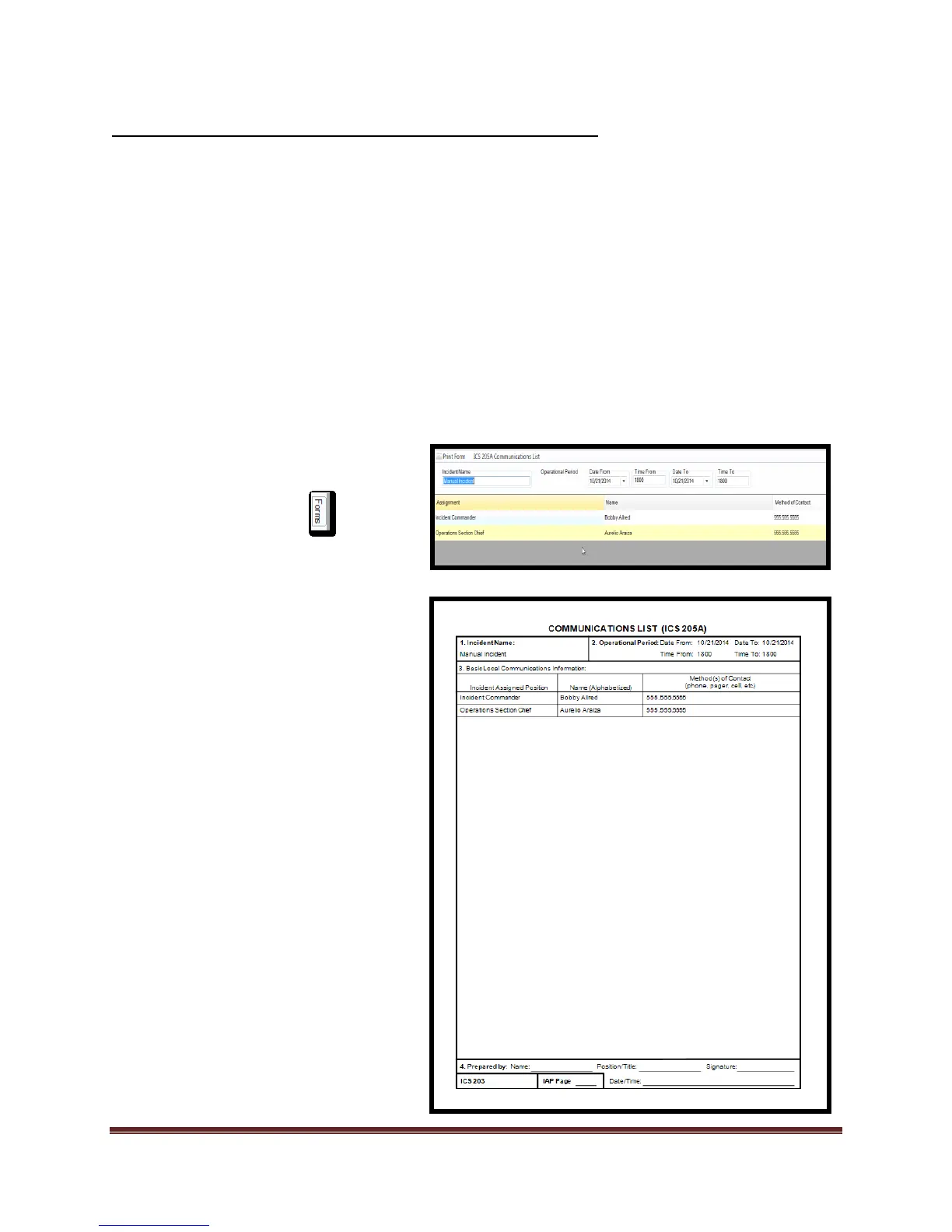
Abstract: The ICS 205a is used to display contact information for personnel participating in the
Incident/Event. The ICS 205a will not display data until a positon has an “assigned resource” in
it. When a person is assigned the software will transfer/display the following:
1. Assignment
a. The data in this field is extracted from the ICS position that the individual is in.
2. Name
a. The data in this field is extracted from the Personnel Roster “Name” field or from
the “Displayed Name” field in the “Add New Person” tool.
3. Method of Contact
a. The data in this field is extracted from the personnel roster “Telephone” field or
from the “Telephone” field in the “Add New Person” tool.
To complete the ICS 205A complete
the following steps:
1. Select the Forms tab
2. Double click on the ICS 205A
form. This will open the form for
editing.
3. Add/Verify “Incident Name” and
“Operational Period”.
4. Verify data on form and make
additions to the “Method of
Communication” field
5. Print form and review for
correctness.



 To Next Page