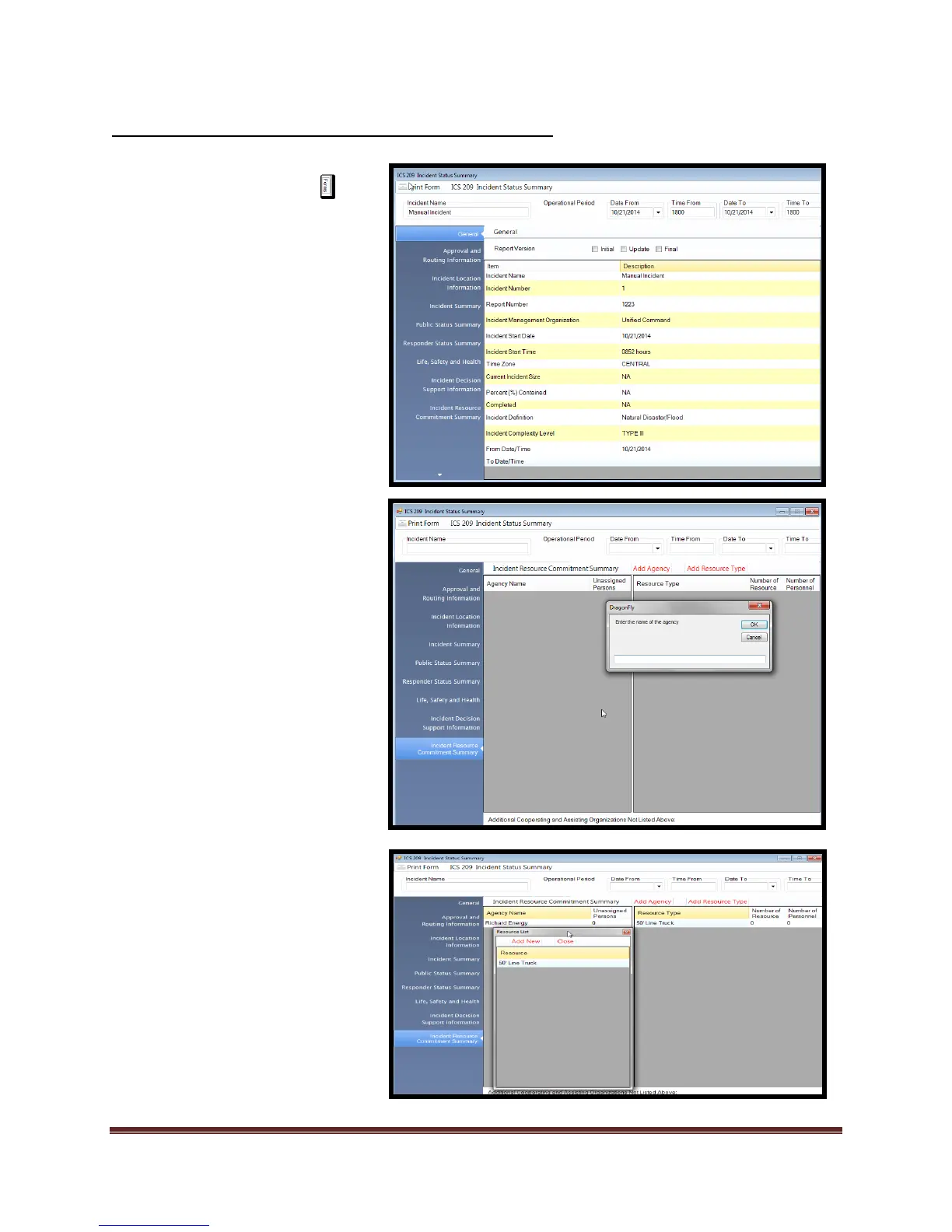
1. Select the Forms tab
2. Double click on the ICS 209
form. This will open the form
for editing.
3. Add/Verify “Incident Name”
and “Operational Period”.
4. Select “General” block.
5. Select which version of the
report you are entering
a. Initial, Update, or Final
6. Select each information
block that you want to
update.
7. To complete the “Incident
Resource Commitment
Summary” perform the
following:
a. Select “Add Agency” and
enter the name of the
agency. Select “Ok”
b. Select an agency that
you want to add
resources to from the
list of agencies. Select
“Add Resource Type”,
select the resource
needed and “Drag and
Drop” under resource
type list.
8. Review data and print form.



 To Next Page