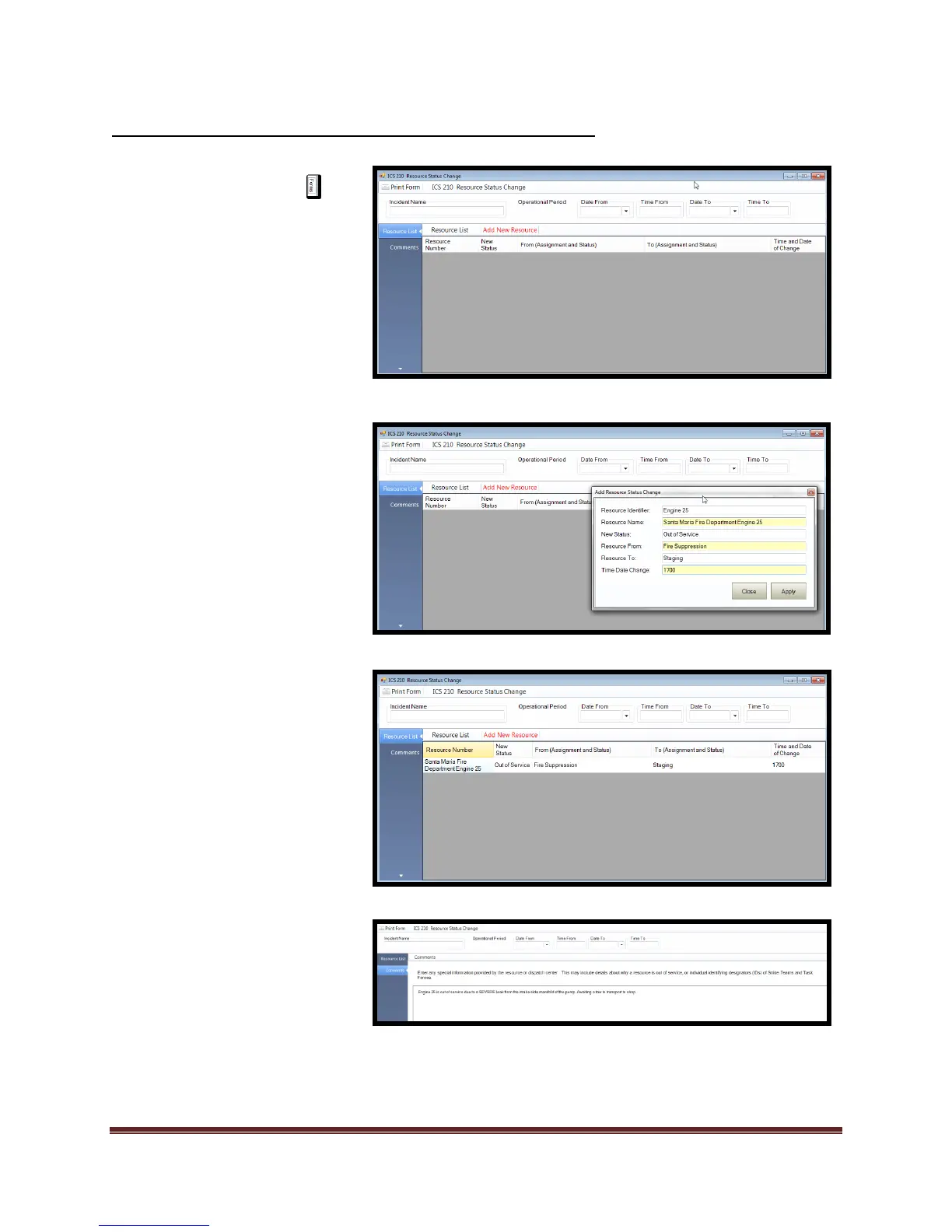
(1) Select the Forms tab
(2) Double click on the ICS 210
form. This will open the form
for editing.
(3) Add/Verify “Incident Name”
and “Operational Period”.
(4) Select “Resource List”
(5) Select “Add New Resource”
b) Enter data
c) Select “Apply”
d) Select “Close”
6) Select “Comments” and add
desired data.
7) Review for accuracy and
Print form.



 To Next Page