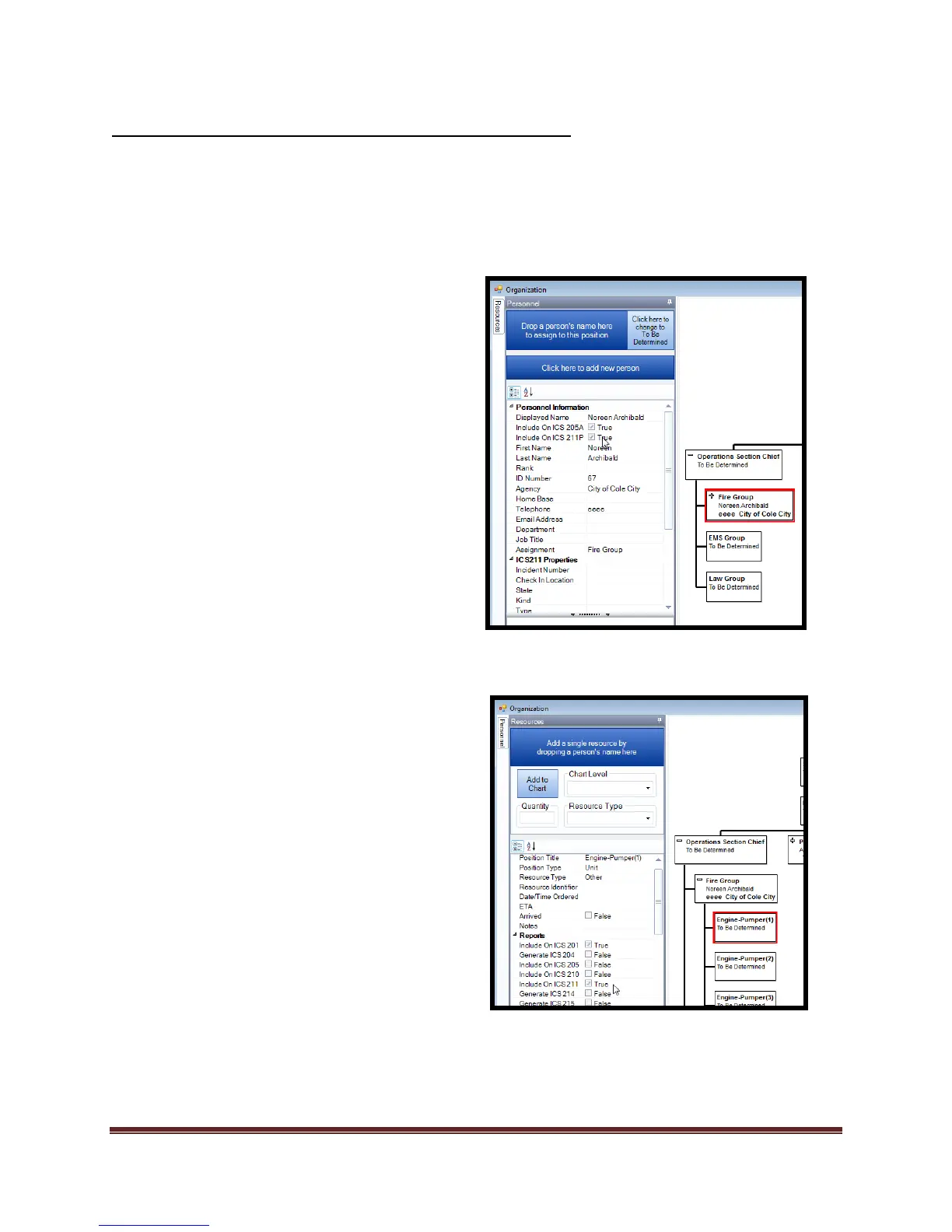
1. ICS 211P-
a. Select the person from the
Organization Chart that you want
included on the ICS 211P.
b. Select the “Personnel Tab” tool.
c. Select the “Add to 211” check
box.
i. De-select to remove from
ICS211P
d. Add/edit additional data.
e. Select “Print Personnel Form” to
print form.
2. ICS 211E-
a. Select the equipment from the
Organization Chart that you want
included on the ICS211E.
b. Select the “Equipment Tab” tool.
c. Select the “Add to 211E” check
box.
i. De-select to remove from
ICS211P
d. Add/edit additional data.
e. Select “Print Equipment” form



 To Next Page