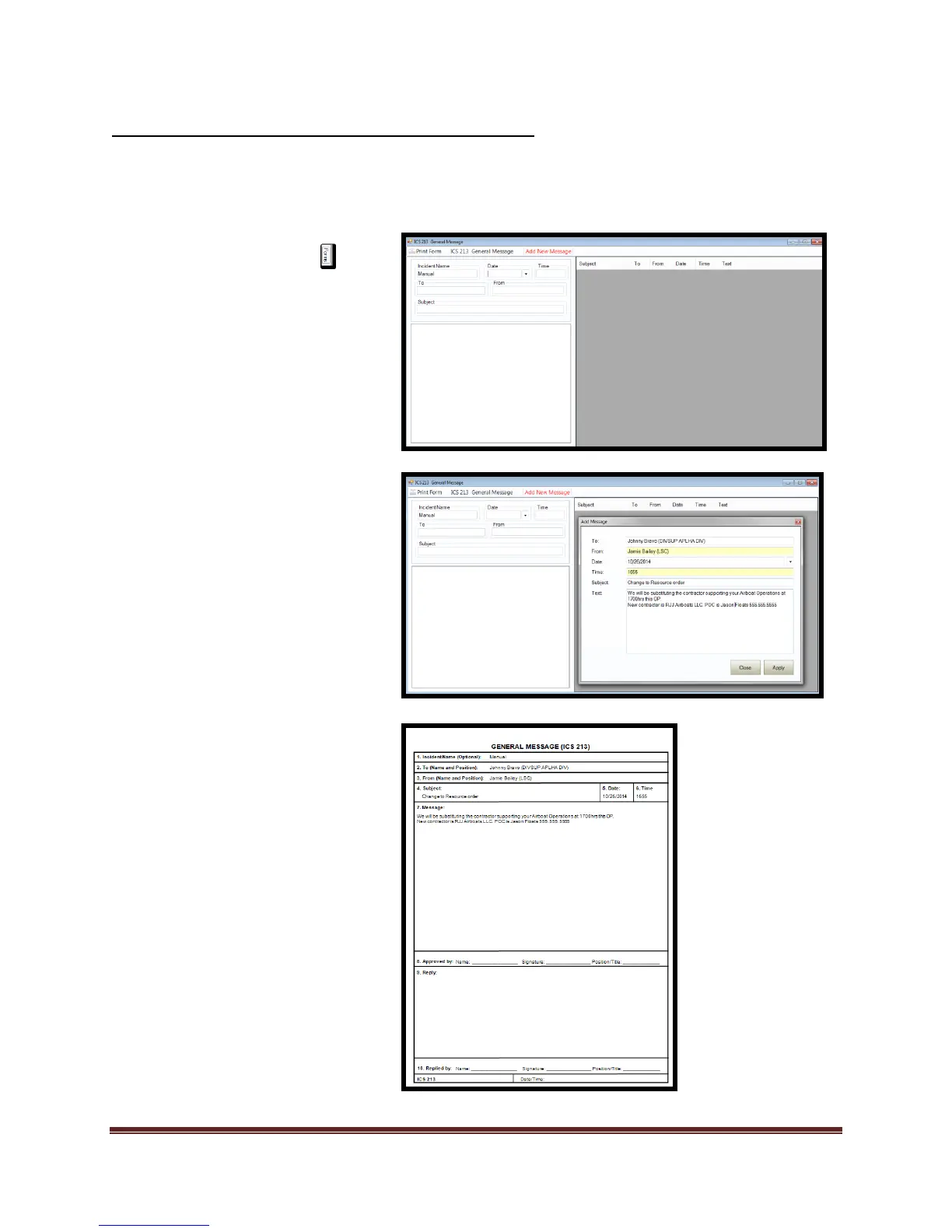
allowing historical perspective of messages created.
1. Select the Forms tab
2. Double click on the ICS 213
form. This will open the form
for editing.
3. For “Quick Print Mode”:
a. Add/verify “Incident Name,
Date and Time”.
b. Enter data into the “To”,
“From”, and “Subject” fields.
c. Enter message body
d. Print form and review
4. For “Index Mode”
a. Add/verify “Incident Name,
Date and Time”.
b. Select “Add New Message”
tool
c. Enter data into fields and
select “Apply” to save data.
d. Select “Close” to end record
creation.
5. Print form and review.
6. To print any of the messages
from the index, select the
message and print form.



 To Next Page