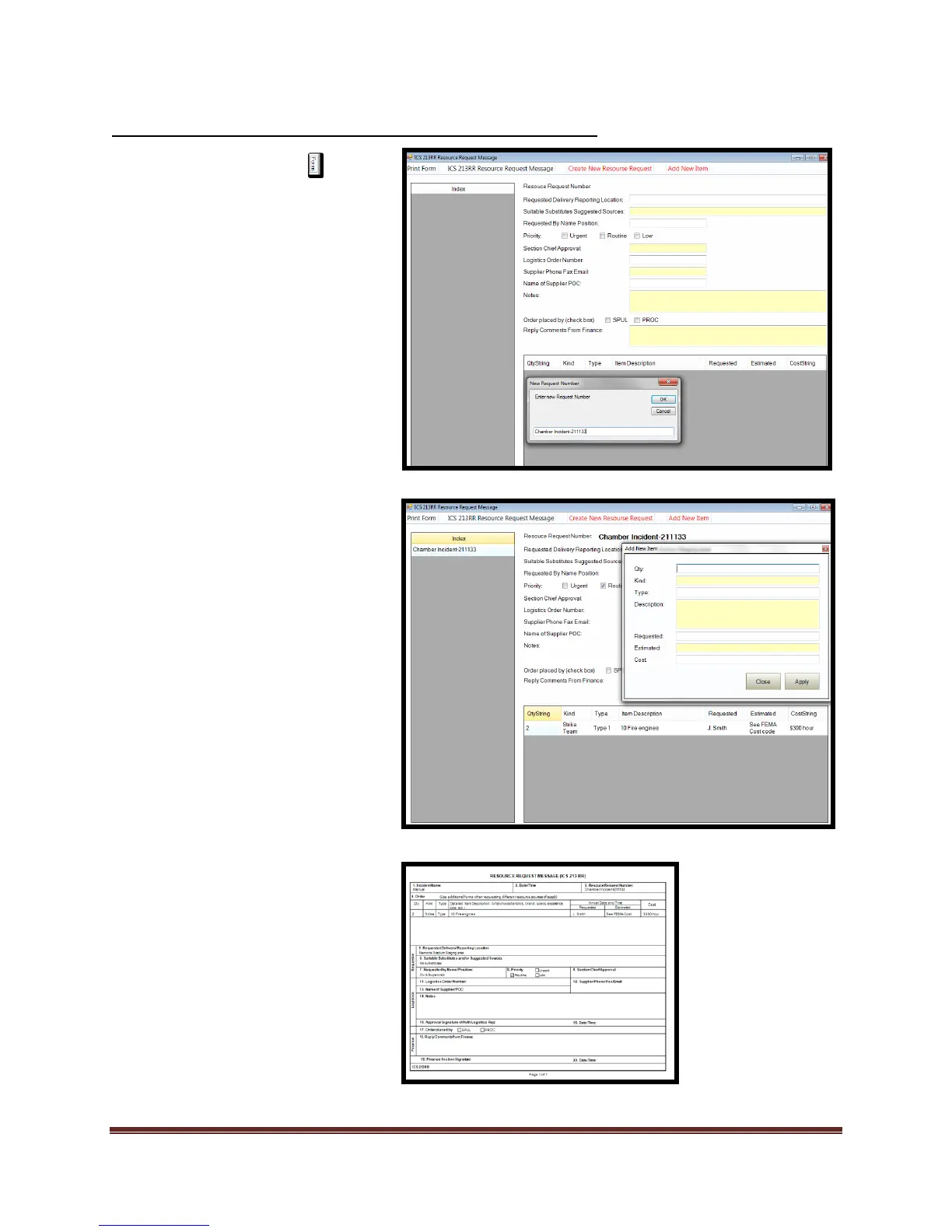
1. Select the Forms tab
2. Double click on the ICS 213RR
form. This will open the form
for editing.
3. Select “Create New Resource
Request”
a. Enter new resource
request number.
b. Select “Ok”
4. Add data to the following fields
a. Locations
b. Substitutions
c. Requested by
d. Priority
e. Approval
f. Supplier contact
information
g. Supplier POC
h. Specific notes
5. Select “Add New Item”
a. Add data to fields and
select “Apply”
b. Item will be added to index
6. Logistics personnel fulfilling
request enter data in the
following fields:
a. Select who placed order
b. Finance comments
7. Print form and review



 To Next Page