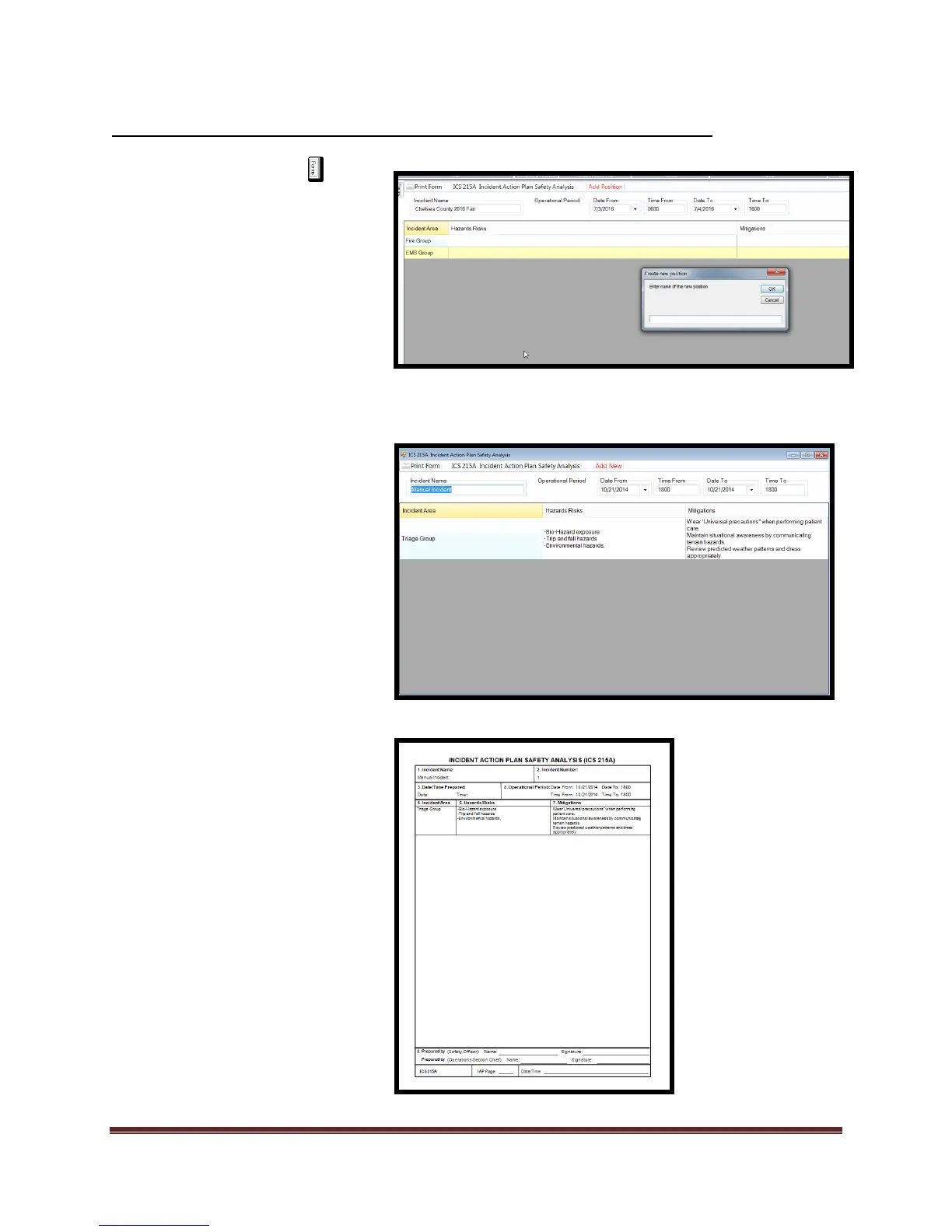
1. Select the Forms tab
2. Double click on the ICS 215a
form. This will open the form
for editing.
3. Add/Verify “Incident Name”
and “Operational Period”
information
4. Select “Add Position”
5. If 215 is completed “Incident
Area” will be populated
automatically.
6. Enter data into “Incident Area,
Hazards/Risks, and Mitigation”
fields.
7. Select “Apply”
8. Select “Close”
9. Print and review form.
*Editing of the data can be done at
any time by selecting the field
information and making desired
changes.



 To Next Page