1. Select the Forms tab
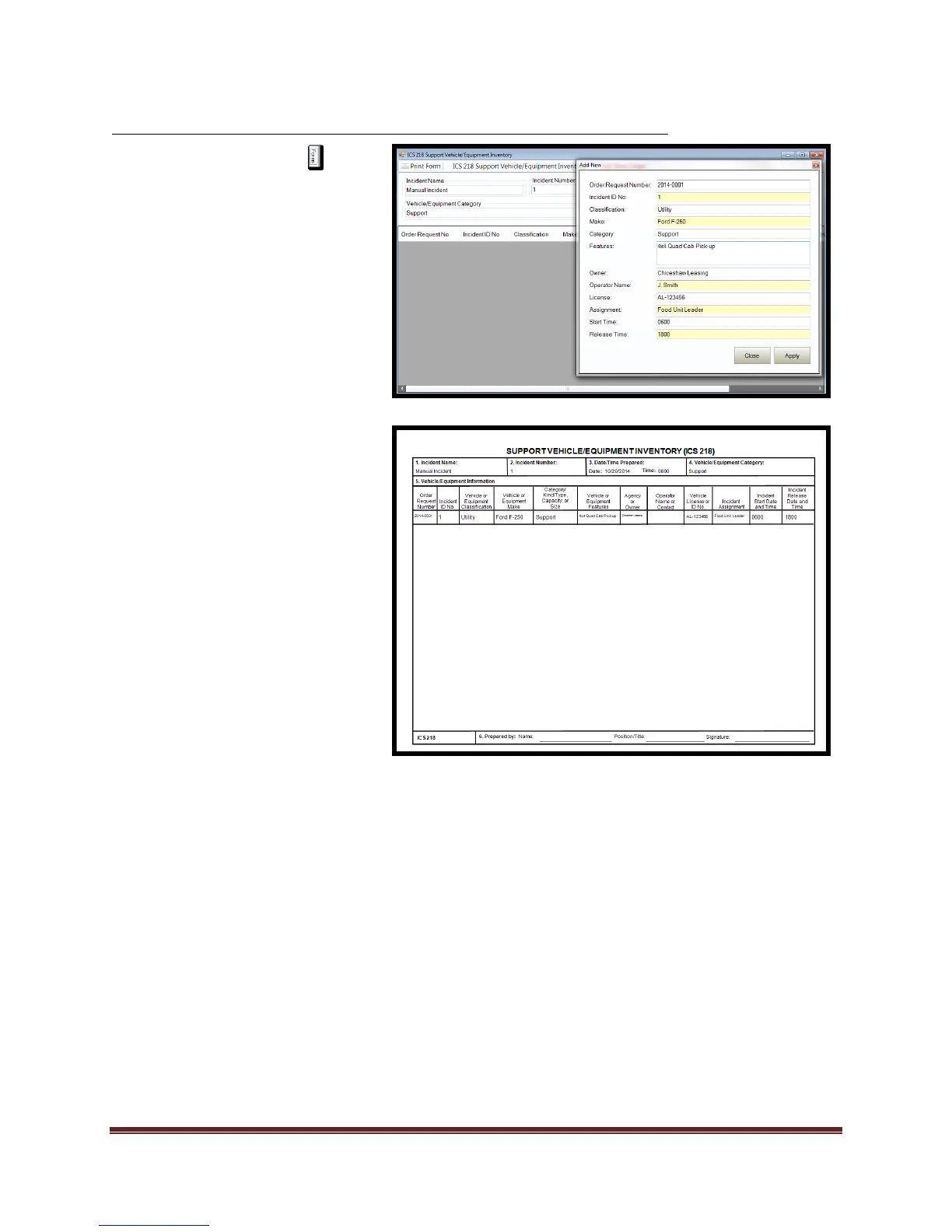
2. Double click on the ICS 218
form. This will open the form
for editing.
3. Add/Verify “Incident Name,
Date/Time Prepared, and
Vehicle/Equipment”
information.
4. Select “Add New Order”
a. Enter desired data into
fields.
b. Select “Apply” to commit
the data
c. Select “Close”
5. To print desired “Order” high
light record and “Print Form”.
*Multiple requests can be
managed with in one Incident
Action Plan



 To Next Page