1. Select the Forms tab
2. Double click on the ICS 230
form. This will open the form
for editing.
3. Add/Verify “Incident Name and
Operational Period”
information.
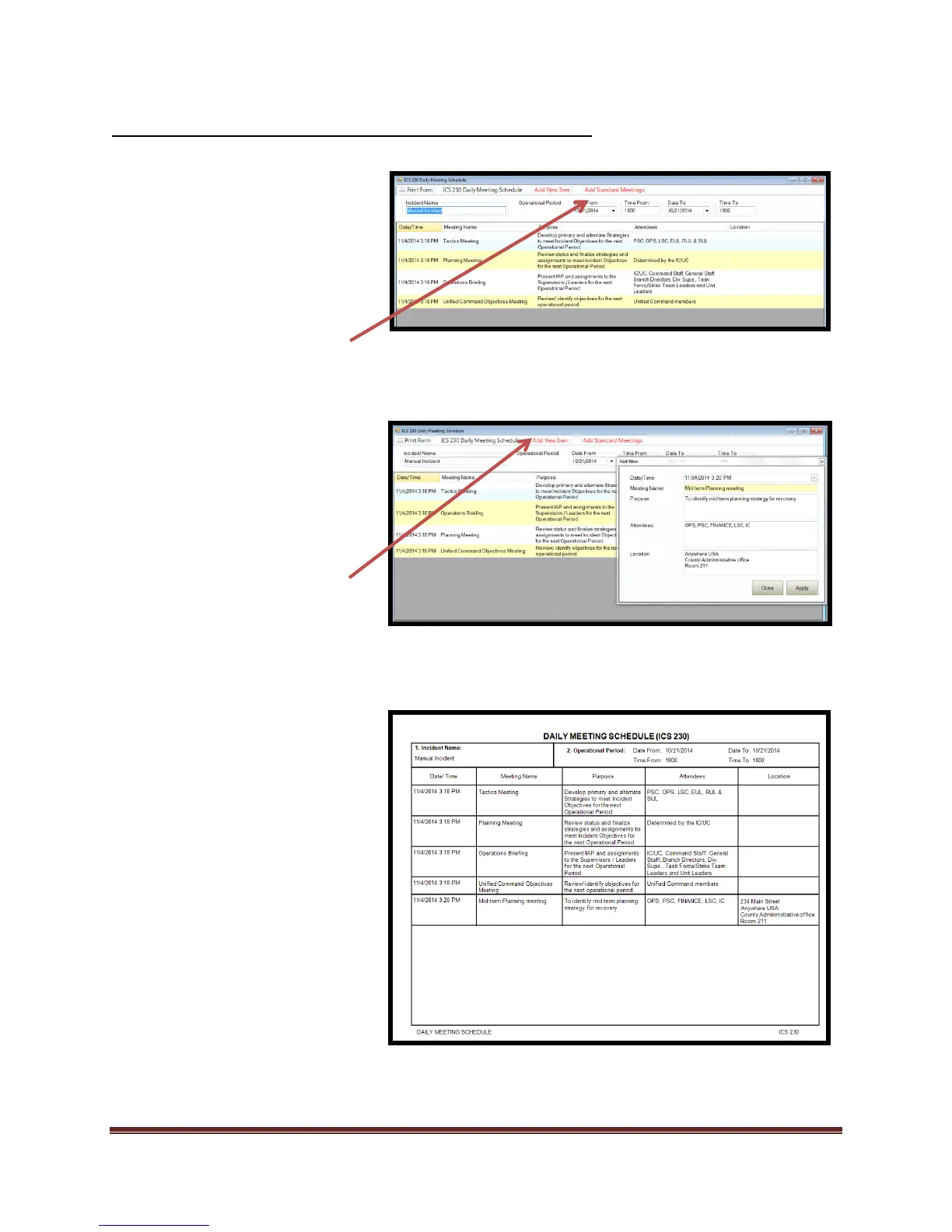
4. To add a “Standard Meeting”
a. Select “Add Standard
Meetings”
b. The list will auto populate
c. Make desired changes to
times and dates and/or
add additional information
by “double clicking” into
the field that you want to
edit.
5. To add items to meeting forms:
a. Select “Add New Item”
b. Enter desired meeting
details.
c. Select “Apply”
d. Select “Close” when
finished adding items.
6. Print form and review.
*To delete item form list, highlight
the item and select “Delete” on
keyboard.



 To Next Page