Dragonfly Manual Version 3© Page 70
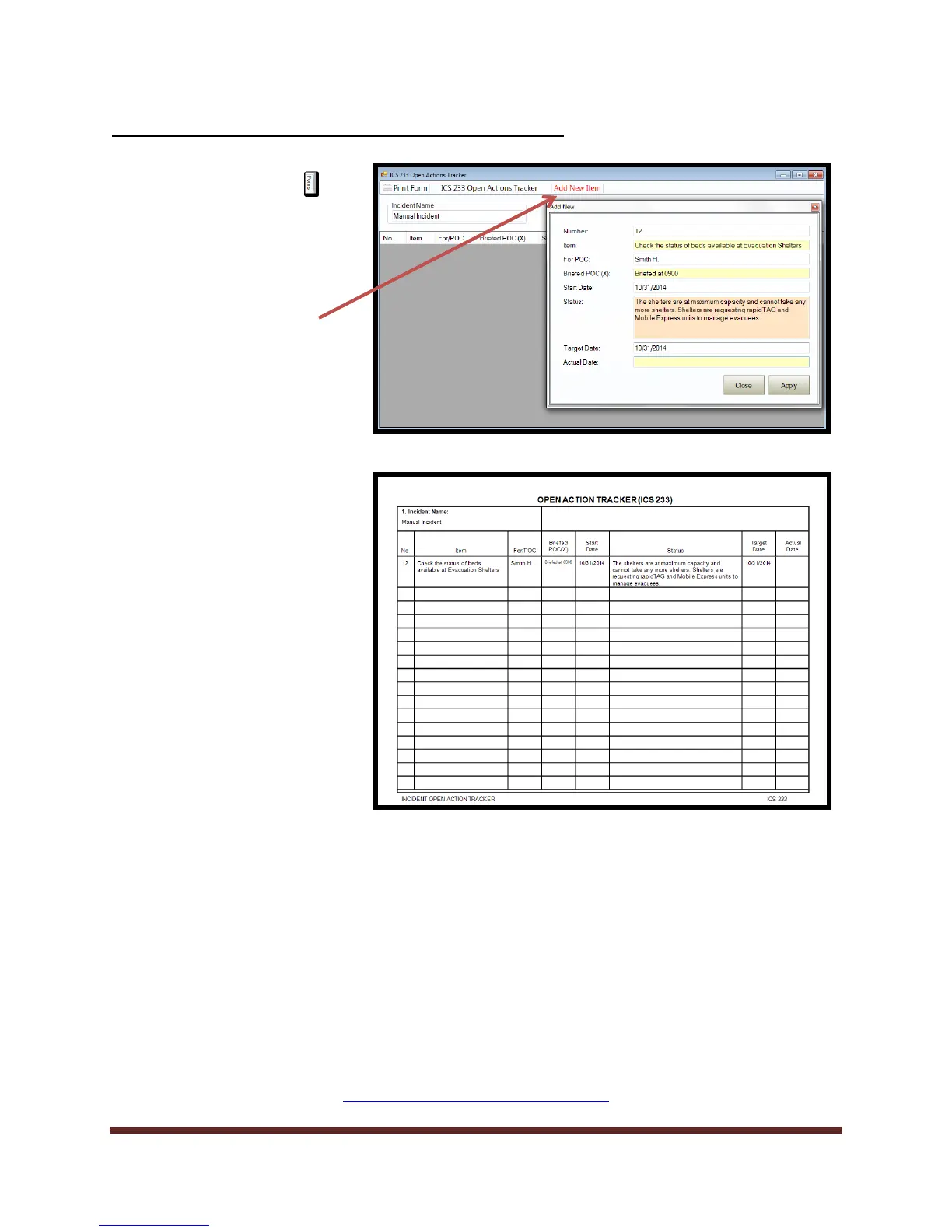
Completing the ICS 233 Open Action Tracker Form
This concludes the Default NIMS ICS Forms creation instructions. If you require custom forms or
specialized forms, please contact Dragonfly™ Technical Support.
http://dragonfly-360.com/contact/
1. Select the Forms tab
2. Double click on the ICS 230
form. This will open the form
for editing.
3. Add/Verify “Incident Name”
information.
4. Select “Add New Item”
5. Enter desired information
that you want tracked into
fields
6. Select “Apply”
7. Select “Close”
8. Print form to review
*To delete any Items, high-light
record and select “Delete” key
on keyboard.



 To Next Page