Mobile Express Import
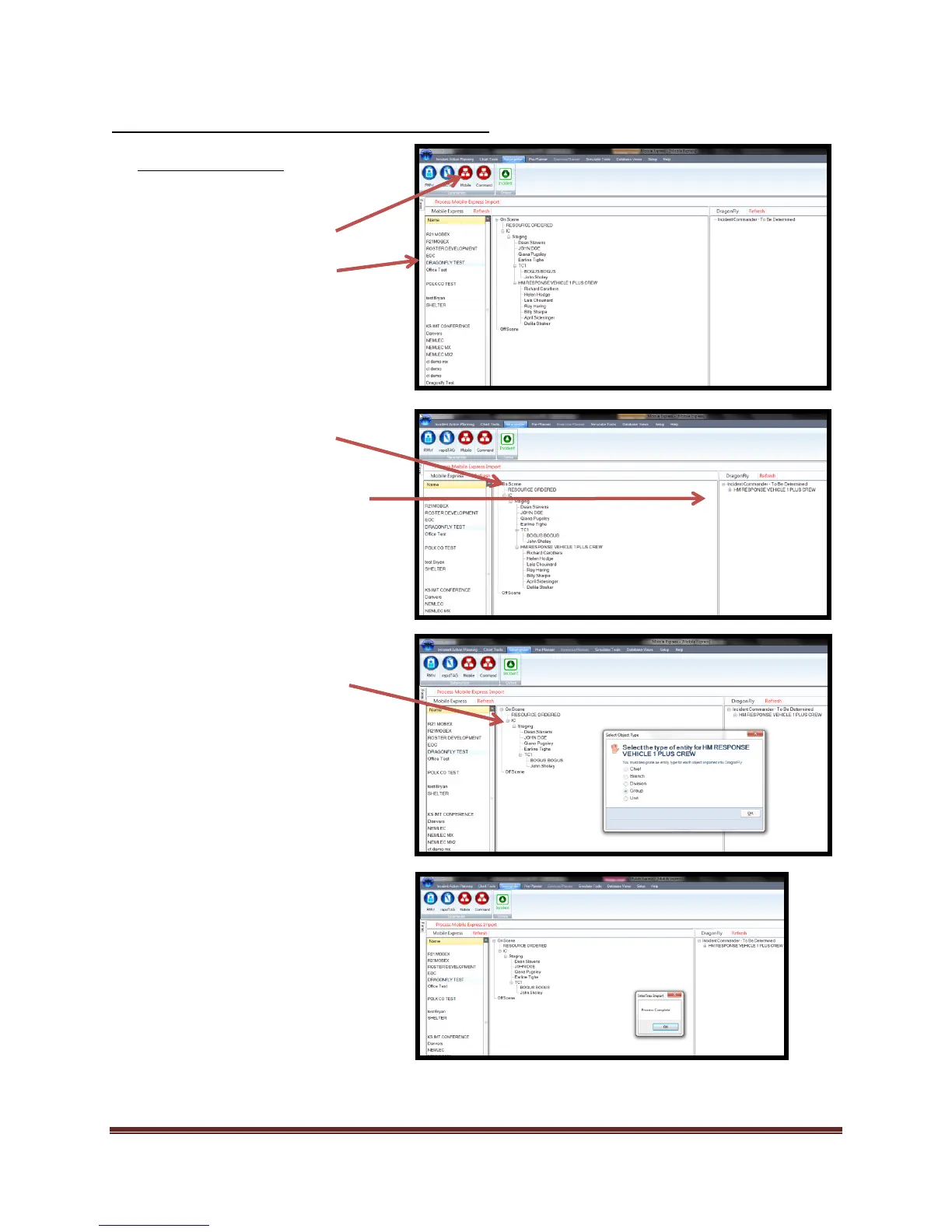
1. Start a “New Incident”.
2. Select “Salamander” icon.
3. Select “Mobile Express” icon.
4. Select the Mobile Express
“Incident” you want to import.
5. Select the assignment and
personnel for import.
6. “Drag and Drop” assignment and
personnel onto the desired ICS
position.
7. Select “Process Mobile Express
Import”
8. Set “Object type”.
a. Chief
b. Branch
c. Division
d. Group
e. Unit
Select “Ok” to finish import



 To Next Page