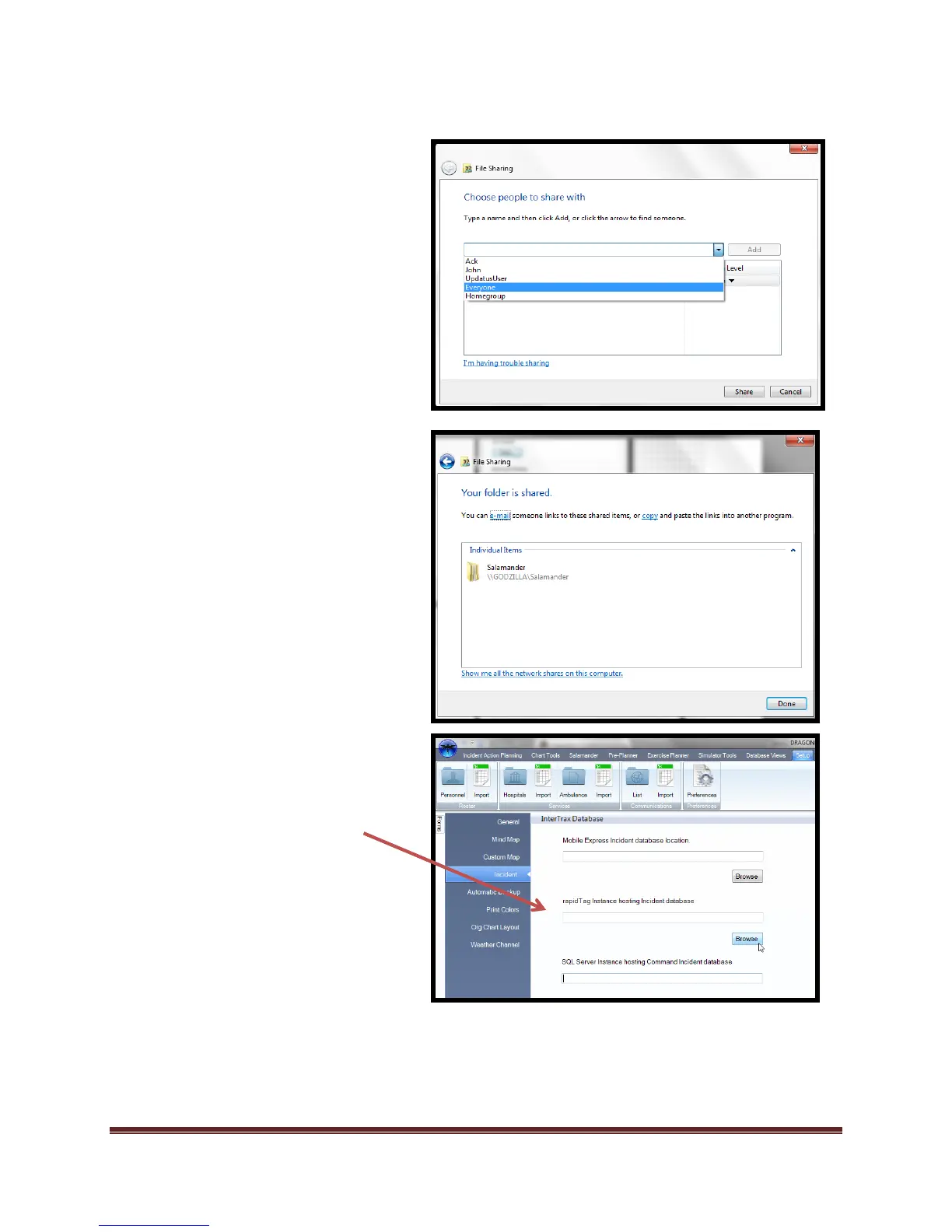
d. Select the drop down box and select
“Everyone”*
e. Select “Add”
f. Select “Share”
g. g. Sharing is complete.
*By selecting “Everyone” anyone on the
network can access the database. Check
with your system Administrator if stronger
security settings for sharing are necessary.
3. Navigate to “Set-up”
a. Select “Preferences”
b. Select “Incident” module
c. Navigate to “rapiTAG™ instance
hosting Incident Database”
d. Select “Browse”



 To Next Page