39
Downloading data files
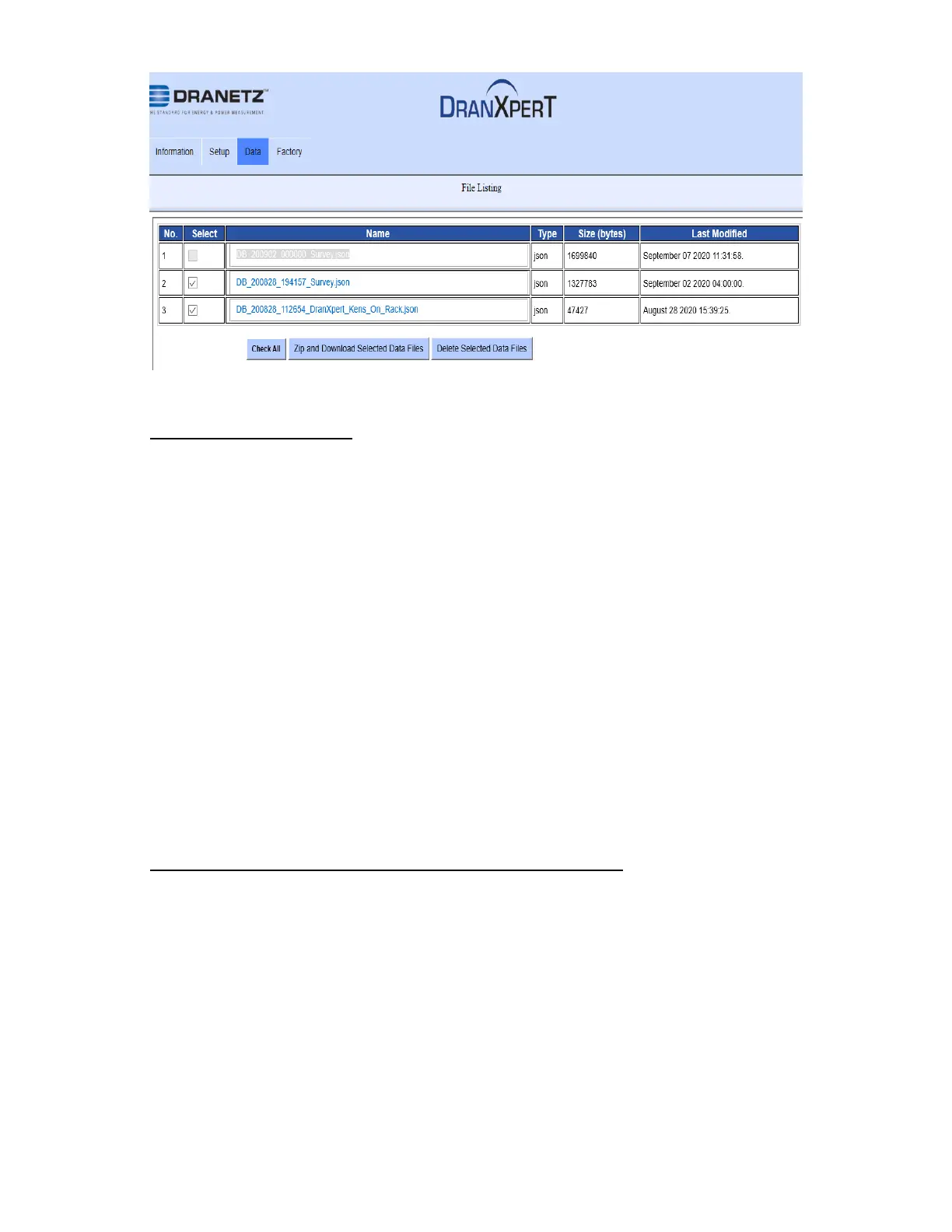
To download data files to your computer:
1) Check the file(s) to download or click the Check All button to
select all data files.
2) Click the Zip and Download Selected Data Files button to
download the selected files. The Zip feature will combine (zip
and compress) multiple files into one file for downloading.
3) DranXperT will display a progress window, and when completed,
your web browser will prompt you to open or save the zip file.
Click Save (or Save As) to save the file to your web browser’s
Download folder (name and location are browser-dependant).
4) Once the zip file has been downloaded, you can then move the
file to another location on your computer, network, or transfer via
email or FTP to another computer.
To unzip data files using the Windows unzip function:
1) Locate the zip file downloaded above. This is usually in your web
browser’s Download folder.
2) Right-click on the file and select Extract All. The window below
will be displayed.


 To Next Page