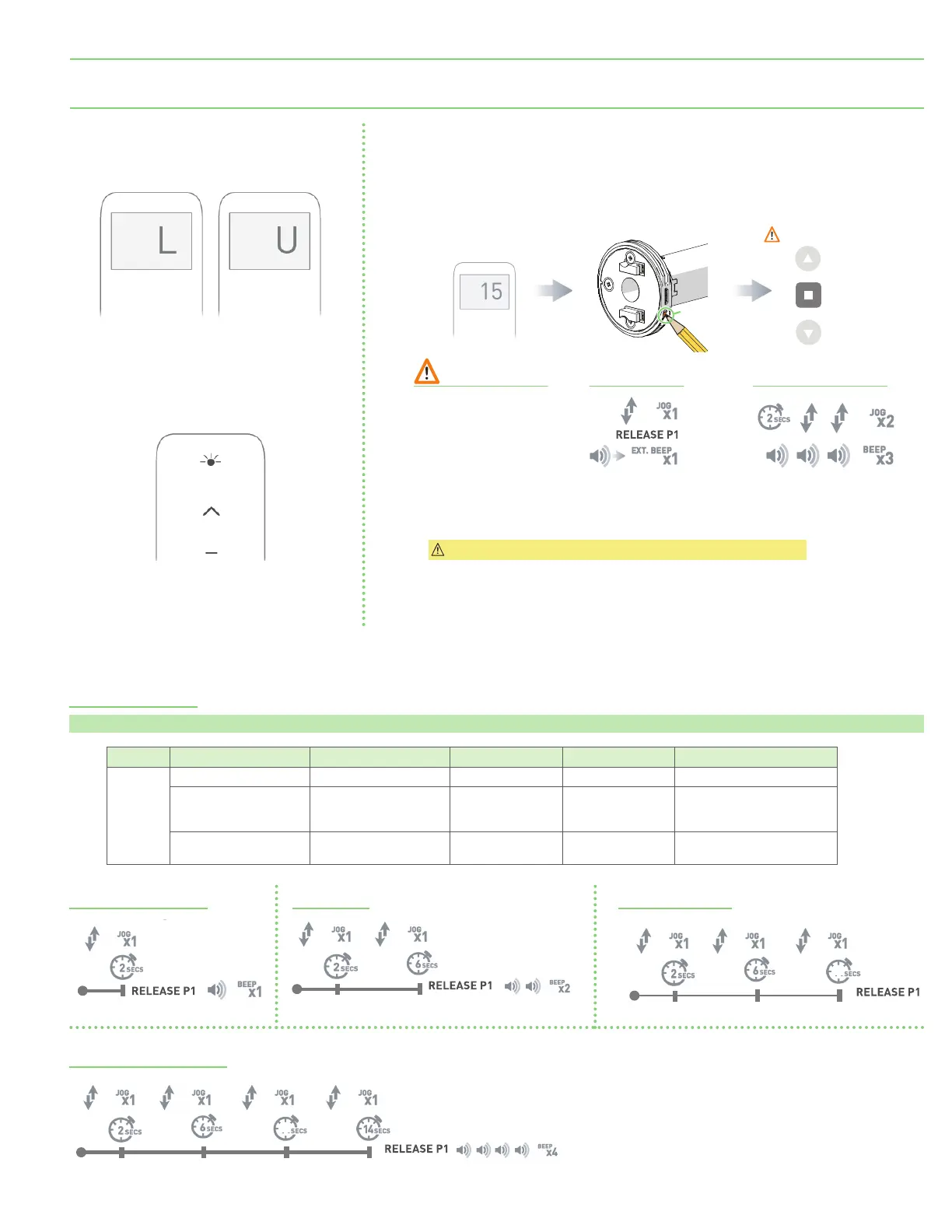
Important: Motor is now in step mode and ready for setting limits.
Section 9 - 5 Volt Motor Initial Setup
P1 Button Functions
Motor state test: This table describes the function of a short P1 Button press/release
(<2 seconds)
depending on current motor configuration.
P1 Press Condition Function Achieved Visual Feedback Audible Feedback Function Described
Short
Press
If limit is NOT set None No Action None No Action
If limits are set
Operational control of
motor, run to limit.
Stop if running.
Motor Runs None
Operational control of motor
after pairing and limit setting
is completed first time.
If motor is in "Sleep
Mode" and limits are set
Wake and control
Motor wakes and
runs in a direction.
None
Motor is restored from Sleep
Mode and RF control is active.
Activate Pairing Mode
Reset to Factory Settings
Sleep Mode Reverse Direction
1 Channel Remote
Press right button for 1 second or less
to display current mode.
RESPONSE
LCD displays “L” when locked
LCD displays “U” when unlocked
RESPONSE
LED solid on when locked
LED blinking when unlocked
IMPORTANT
Consult user manual
for your controller
for information on
selecting channel.
Select channel
on controller.
Hold P1 button on
motor head.
P1 BUTTON
Hold STOP on
controller.
Motor Response Motor Response
Approx.
Must be done within 4 seconds
of motor jog from P1 button.
Approx.
Approx.
Approx.
Approx.
Approx.
10
Approx.
Approx. Approx.
Approx.
10
Approx.
page 7 of 11
FlexShade
®
Recharge





 To Next Page