Approx.
2
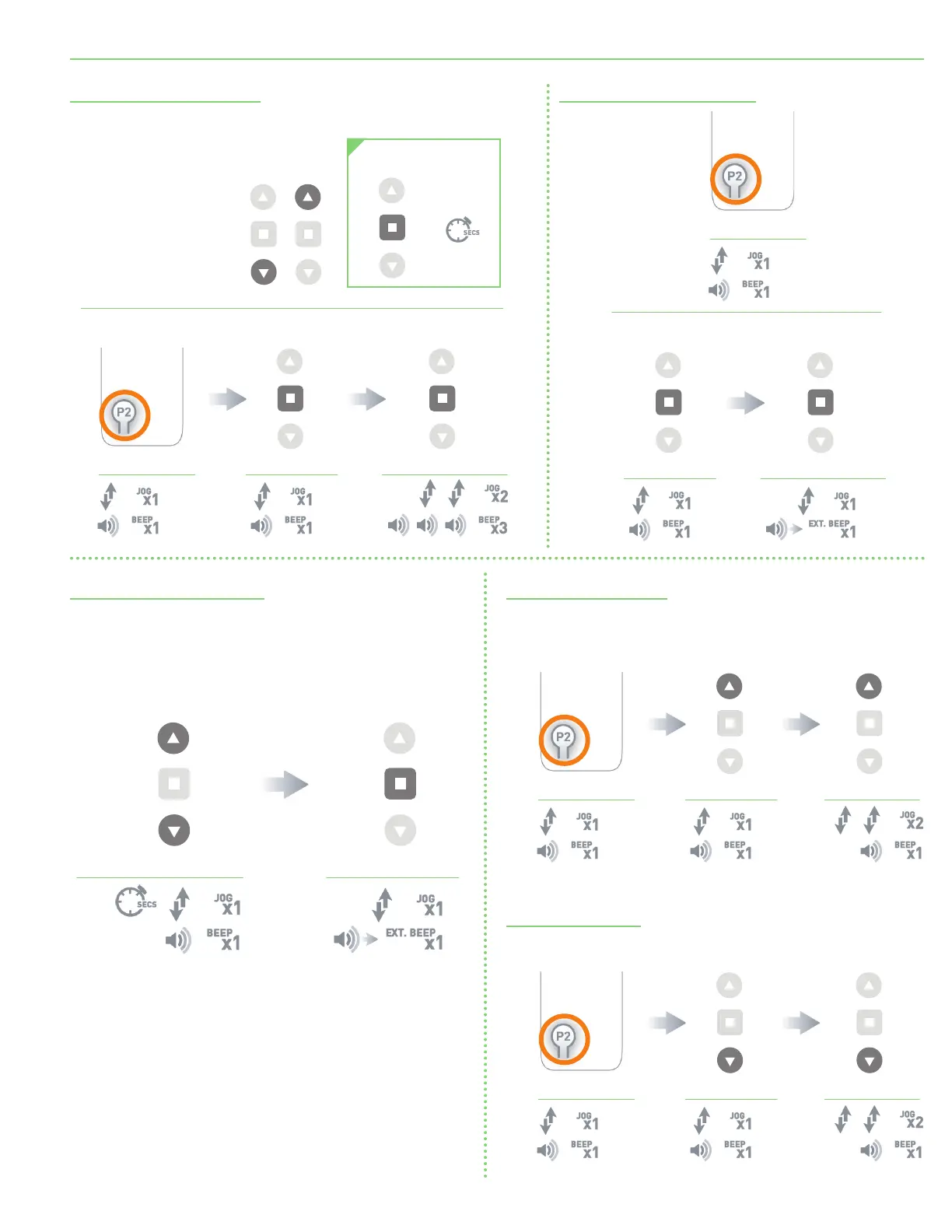
Setting 5 Volt Favorite Position
Toggle 5V Motor to Roller Mode
Default motor mode is Roller Mode
(for use with roller shades)
after initial Limits have been set. If motor is in Tilt Mode (for use with
other product types), use the following steps to return to Roller Mode.
Adjusting 5V Motor Speed
Increase Motor Speed
(Default motor mode is the slowest speed.)
Deleting 5 Volt Favorite Position
Send Shade to
Favorite Position
Motor Response Motor Response Motor Response
FAVORITE POSITIONING
Set a favorite position
Move shade to the desired
position by pressing
the UP or DOWN button on
the controller.
Press P2 on
controller.
Press STOP on
controller.
Press STOP on
controller.
Motor Response
Motor Response Motor Response
Press P2 on
controller.
Press STOP on
controller.
Press STOP on
controller.
Motor Response Motor Response
Hold UP and DOWN
on controller.
Press STOP on
controller.
Approx.
5
Default motor mode is Roller after initial Limits have been set. Use following
steps to change to Roller Mode.
Motor Response Motor Response Motor Response
Press P2 on
controller.
Pr e s s U P.
Pr e s s U P.
Increase Motor Speed: Default motor mode is the slowest speed.
Decrease Motor Speed
Motor Response Motor Response Motor Response
Press P2 on
controller.
Press DOWN.
Press DOWN.
page 9 of 11
FlexShade
®
Recharge





 To Next Page