Note
Please note that this value is correct for ISPs that operate over
the Openreach VDSL2 network, if your ISP operates on a
different VDSL2 network, this tag value may differ; please check
with your ISP or the DrayTek UK Knowledgebase for ISP specific
guides.
Click OK on that page to apply the changes.
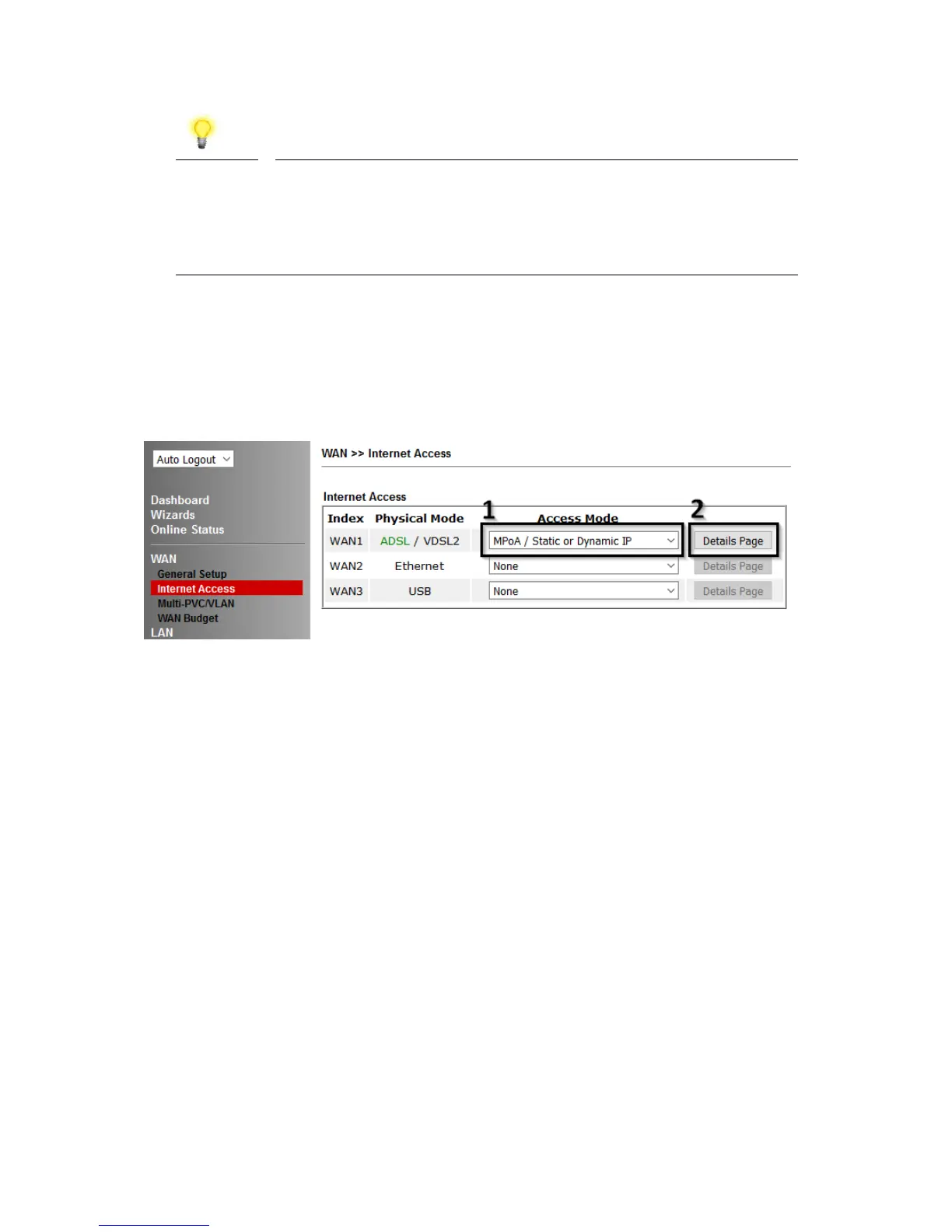
3. Go to [WAN] > [Internet Access]
Firstly set the WAN1 Access Mode to MPoA / Static or Dynamic IP, then click the
Details Page button to proceed:
4. In the MPoA / Static or Dynamic IP settings:
Select the Enable option and select Obtain an IP address automatically which will
obtain an IP from the ISP using DHCP.
If your ISP has provided a static IP range, with a Network address and a Subnet Mask,
specify that with the Specify an IP address option.










 To Next Page