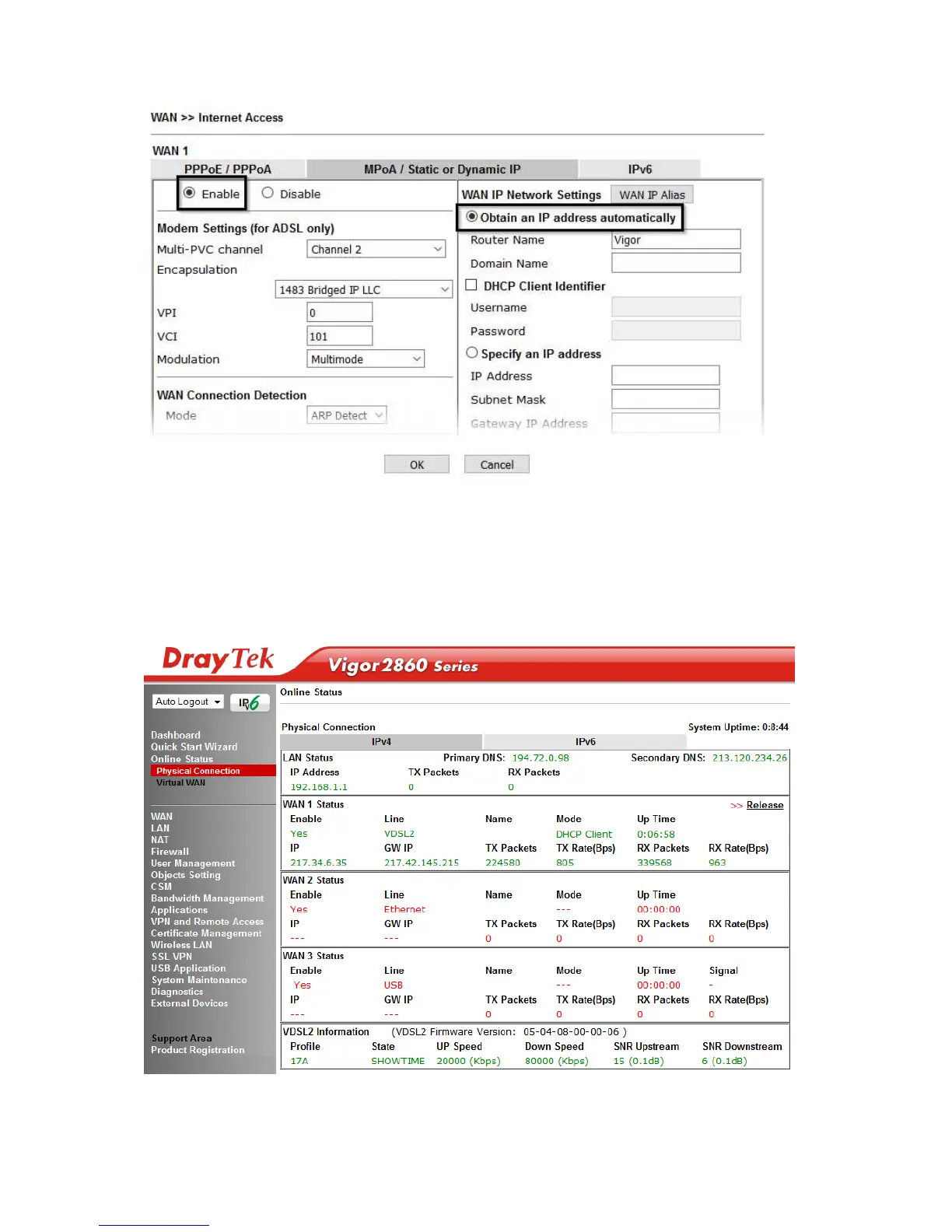
Click OK on this page to apply the changes and the router will then prompt to restart.
Click the OK button to restart the router.
5. Once the router has restarted, the [Online Status] > [Physical Connection] page
will display the VDSL information and DHCP connection status, if the WAN1
section shows an IP address, it has connected to the internet successfully:










 To Next Page