Vigor2955 User’s Guide
209
F
F
o
o
r
r
S
S
t
t
a
a
t
t
i
i
c
c
o
o
r
r
D
D
y
y
n
n
a
a
m
m
i
i
c
c
I
I
P
P
U
U
s
s
e
e
r
r
s
s
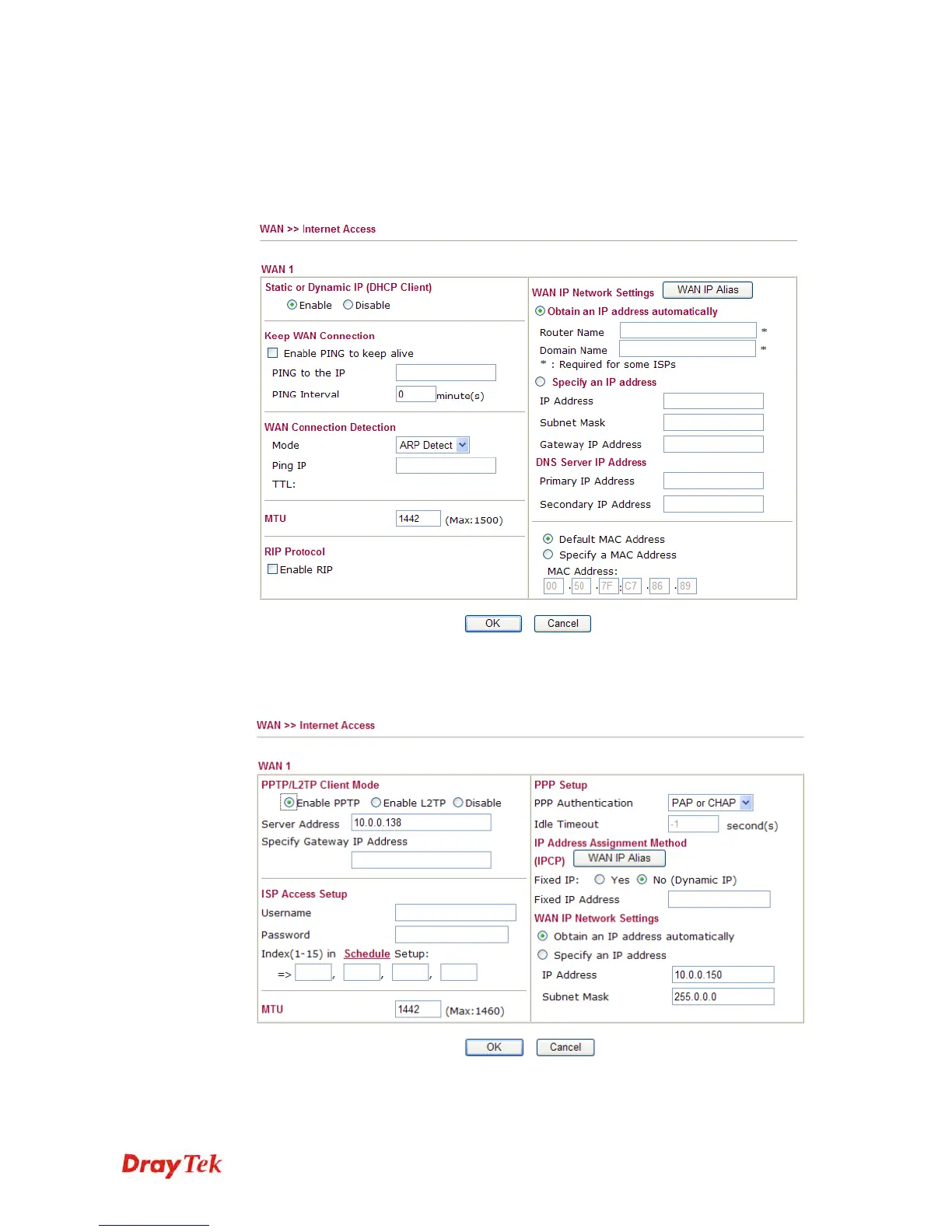
1. Check if the Enable option is selected.
2. Check if IP address, Subnet Mask and Gateway are entered with correct values that
you got from your ISP.
F
F
o
o
r
r
P
P
P
P
T
T
P
P
/
/
L
L
2
2
T
T
P
P
U
U
s
s
e
e
r
r
s
s
1. Check if the Enable option for PPTP Link is selected.
2. Check if Server Address, Username, Password and WAN IP address are set
correctly (must identify with the values from your ISP).














 To Next Page