Vigor2955 User’s Guide
87
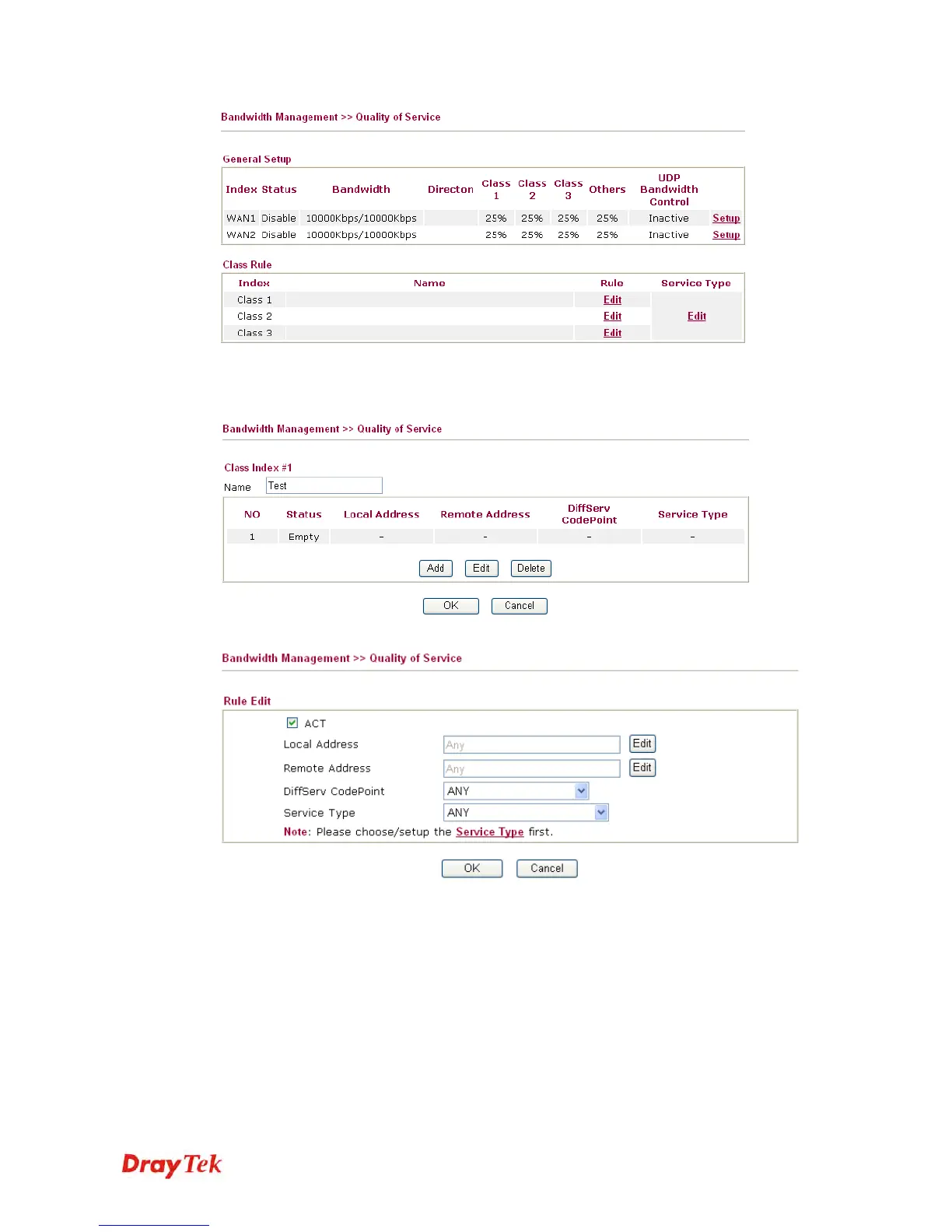
After you click the Edit link, you will see the following page. Now you can define the name
for that Class. In this case, “Test” is used as the name of Class Index #1.
For adding a new rule, click Add to open the following page.
ACT Check this box to invoke these settings.
Local Address Click the Edit button to set the local IP address (on LAN) for
the rule.
Remote Address Click the Edit button to set the remote IP address (on
LAN/WAN) for the rule.














 To Next Page