Orange Fast Flashes: error
Tip: The robot vacuum cannot be turned off during charging; Press any button to pause in the
middle of cleaning, Spot Clean, or charging.
2. What is the (Dock) button on the vacuum cleaner for, and
how do I use it?
A:please refer to the table below
White Fast Flashes: on the way to charge at normal
battery level
Orange Flashes: on the way to charge at low battery level
White Slow Flashes: charging at normal battery level
Orange Slow Flashes: charging at low battery level
Solid white: finished charging
Note: Press any button to pause while cleaning, Spot Clean, or charging.
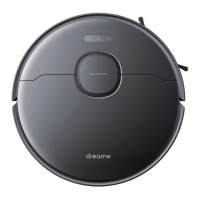
3. How to connect Dreame L10Pro robot with Mi Home app?
A:Connect the robot with the Mi Home app and other device to control the
vacuum with your phone.
Scan the QR code, download and install Mi Home. Users who already installed
the app will directly enter the connection page. You can also search Mi Home
in app store to download and install the app. Enter the home page of Mi Home,
tap "+" on the upper right corner, and follow the instructions to add the device.
Tip: Due to different firmware versions of the app, actual operation may be
slightly different from the above.


 To Next Page