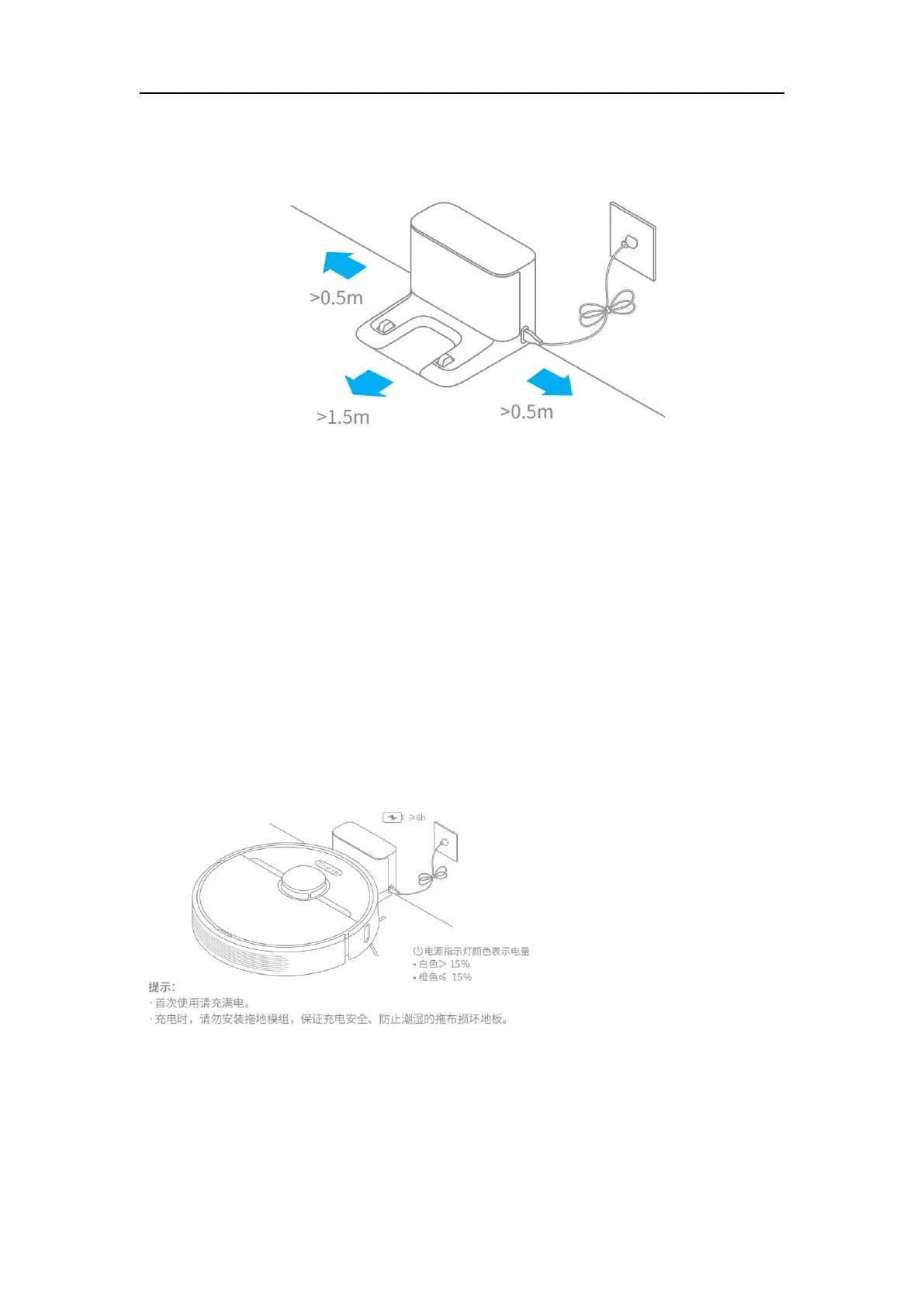
a better app control experience, make sure the dock is connected to Wi-Fi.
Note: Do not place the dock in direct sunlight or block the identification area
with any objects, otherwise the robot may fail to return automatically.
2. How to charge Dreame L10Pro?
A:Press the power button and hold. When the indicator turns solid, Dreame
D9 will automatically connect with the dock for charging.
Note: Dreame L10 Pro may fail to power on in low battery. Please connect the robot with the
dock manually.
3. How to use the mopping function with Dreame L10Pro?
A:


 To Next Page