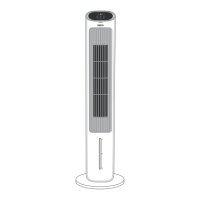
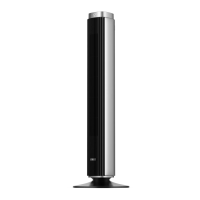
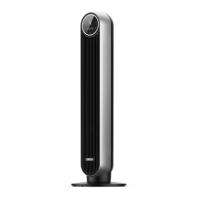
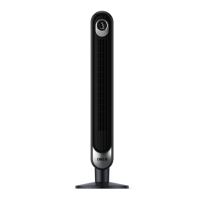
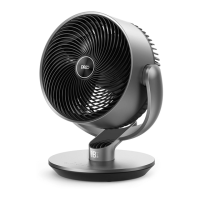
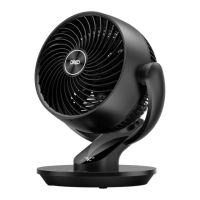
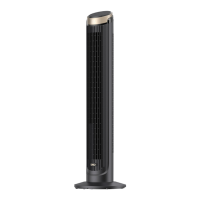
The Dreo Evaporative Air Cooler (Model: DR-HEC001) is designed to provide a refreshing airflow through the process of water evaporation, offering a cooling effect that is not as intense as an air conditioner but more effective than a standard fan. It aims to enhance comfort in your living space by circulating cooler, humidified air.
Function Description
The core function of this device is evaporative cooling. Hot air passes through a cooling pad saturated with water. As the water evaporates, it absorbs heat from the air, resulting in a cooler, more humid airflow that is then released by the fan wheel. This process helps to lower the ambient temperature and increase humidity, which can be particularly beneficial in dry climates.
The air cooler offers multiple operational modes to suit different preferences and needs:
- Normal Mode: Provides a standard performance with a constant airflow. In this mode, the display automatically turns off after 1 minute to save energy and reduce light disturbance.
- Sleep Mode: Designed for quieter operation and reduced light. In sleep mode, the display turns off automatically after 5 seconds. The fan speed gradually decreases by one level every 30 minutes. For example, if starting at level 3, it will go to 2, then 1. If starting at level 2, it will go to 1. If already at level 1, it will remain constant. This ensures a comfortable sleeping environment.
- Humidify Function: This feature can be activated to increase the humidity in the air. It's important to ensure the water tank has sufficient water for this function to operate. If the water level is low, the humidifying indicator will blink, and the function will be disabled for safety.
- Oscillation: The device can oscillate to distribute the cooled air across a wider area, ensuring more even coverage in a room. The oscillation direction can be adjusted via a dedicated button.
- Fan Speed Adjustment: Users can select from three different fan speed levels (1-3) to control the airflow volume according to their comfort.
- Timer Function: An auto on/off timer allows users to schedule when the air cooler starts or stops operation, with settings ranging from 1 to 7 hours. This is useful for pre-cooling a room or ensuring the device turns off after a certain period.
- Mute Function: The device includes a mute feature to silence operational sounds, which can be activated either via the remote control or by long-pressing the mode button on the control panel.
- Low Water Alert: An indicator blinks when the water level in the tank is low, prompting the user to refill it to continue humidifying. This alert also activates if the water tank is withdrawn during humidifying.
- Display Auto Off: In both normal and sleep modes, the LED display automatically turns off after a short period (1 minute in normal, 5 seconds in sleep) to minimize light disturbance. Any non-power button press will wake up the display.
- Memory Function: The air cooler remembers the previous settings (excluding the timer) when it is turned off and will resume those settings upon restart. However, if the cooler is unplugged or loses power, the mute function will not be remembered.
- Auto Shut Off After 15 Hours: For safety reasons, the air cooler will automatically shut off after continuously running for 15 hours.
Usage Features
The Dreo Evaporative Air Cooler is designed for straightforward use and offers several features to enhance the user experience:
- Easy Assembly: The device requires minimal assembly, primarily involving attaching the base halves and threading the power cord. Clear instructions are provided to guide users through this process. It's crucial to ensure the base is securely installed and the power cord is threaded through all keepers before operation.
- Remote Control: A convenient remote control (battery included) allows for easy adjustment of settings from a distance, including power, fan speed, mute, mode, oscillation, and timer.
- Water Tank Filling (Two Methods): The water tank can be filled in two ways:
- Method 1: Pull out the water tank, fill it with clean water up to the max indicator, and then return it to its original position.
- Method 2: For a more integrated approach, the water pump can be detached from the tank, allowing for easier filling under a water supply. After filling, the pump is re-aligned and locked back into place, and the tank is returned.
- Ice Packs (Optional): For enhanced cooling, the air cooler comes with two reusable ice packs. These can be frozen for at least 4 hours and then added to the water tank. It's important not to exceed the maximum water level when adding ice packs.
- Optimizing Cooling Performance: To get the most out of the air cooler, users are advised to add ice to the water tank, remove any tall obstacles that might block airflow, and consider combining it with an AC unit for broader cooling. It can also be used as a tower fan by switching off the humidify function.
- Safety Precautions: The manual emphasizes several safety instructions, including not covering air inlets/outlets, avoiding use near flammables, proper placement on a flat surface, and not immersing the unit in water. It also highlights the importance of unplugging the device before cleaning or moving it, especially when filled with water.
Maintenance Features
Regular maintenance is crucial for the longevity and optimal performance of the Dreo Evaporative Air Cooler.
- Outer Surface Cleaning: The exterior of the device can be easily cleaned by gently wiping off dust with a soft, damp cloth.
- Water Tank Cleaning: To maintain proper hygiene and prevent mineral buildup, the water tank should be cleaned at least once every two weeks. This involves detaching the water pump, removing the tank, cleaning it with appropriate agents, and then reassembling.
- Filter on Water Pump Cleaning: The filter on the water pump should be cleaned regularly to ensure optimal performance. This involves pulling out the water tank, pressing tabs to release the water pump, sliding out the filter, rinsing it with water, and then reassembling.
- Fuse Replacement: The appliance features a fused safety plug for overload protection. If the fuse blows, detailed instructions are provided for safe replacement with a 2.5 Amp, 125 Volt fuse. Users are warned not to replace the attachment plug itself if it is damaged, but rather to discard the product.
- Storage: When not in use, especially for extended periods, the device should be stored in a cool, dry place and covered to protect it from dust. It's also recommended to unplug it before storage.
- Battery Replacement for Remote Control: Instructions are provided for replacing the CR2025 3V battery in the remote control when its indicator no longer turns on. This involves pressing a locking button to pop out the battery holder, replacing the battery with the positive side facing up, and pushing the holder back into place.
The manual also provides troubleshooting tips for common issues like the cooler not turning on, shakiness, noise, insufficient cooling, water dripping, or blinking humidifying indicators, and directs users to customer support if problems persist.

 Need help?
 General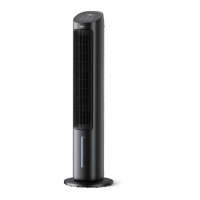

 To Next Page