4
INSTALLATION & DEVICE ACTIVATION
1. Click this link to go to the DrewTech downloads page:
DrewTech.com/downloads
2. Locate and click on the "CarDAQ-PLUS 2
®
Set-up" link
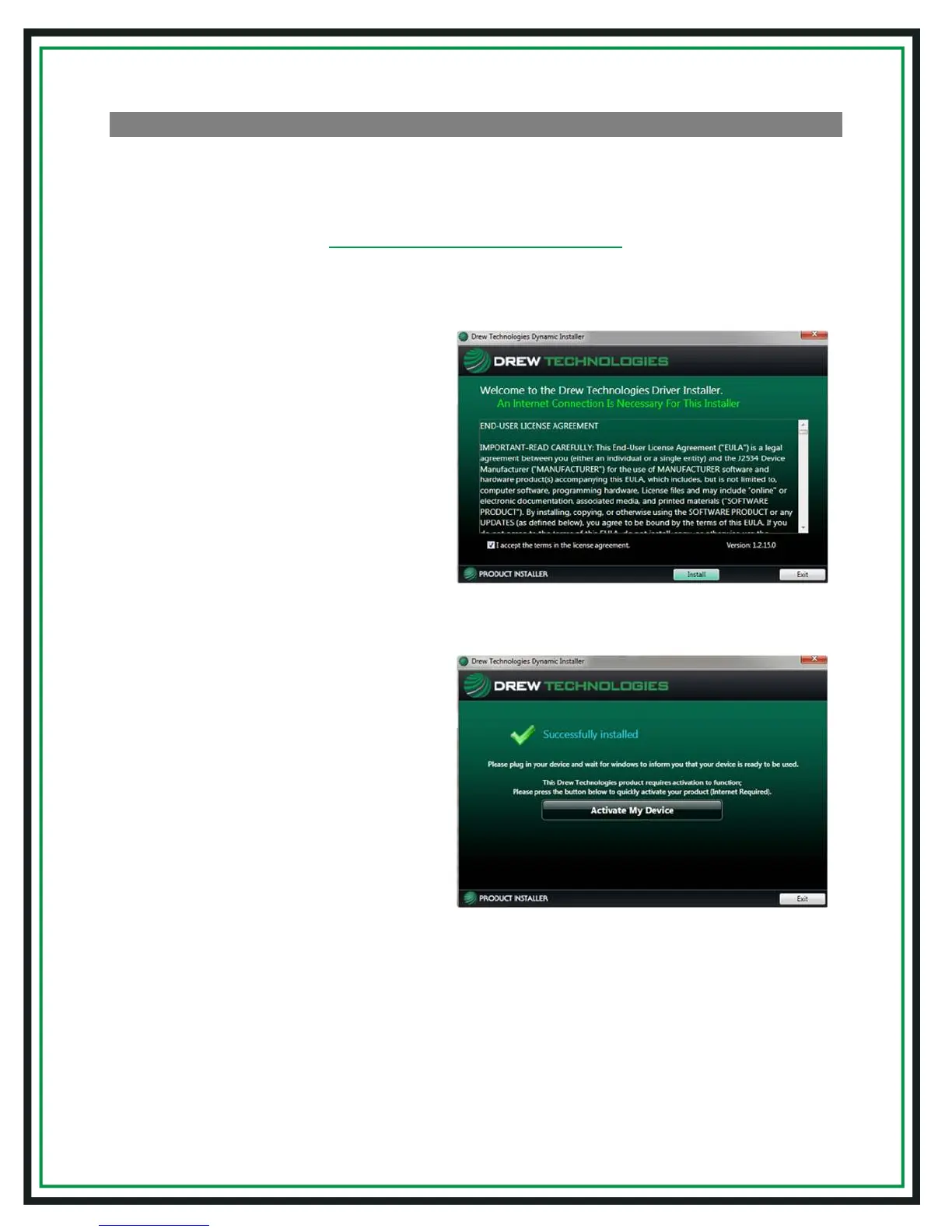
3. Run the installation once the
software has downloaded to your
PC. Upon encountering this screen,
read the end-user license
agreement, and check the box next
to “I accept...”then click "Install"
4. Once the setup application has
finished, connect the USB cable to
your CarDAQ-Plus 2
®
device and to
the PC. Look for the message
window in the lower, right-hand
corner of the screen that indicates
that the drivers are being installed
and listen for the familiar Windows
driver installation chime. Upon
successful driver installation,
click“Activate My Device”


 To Next Page