6
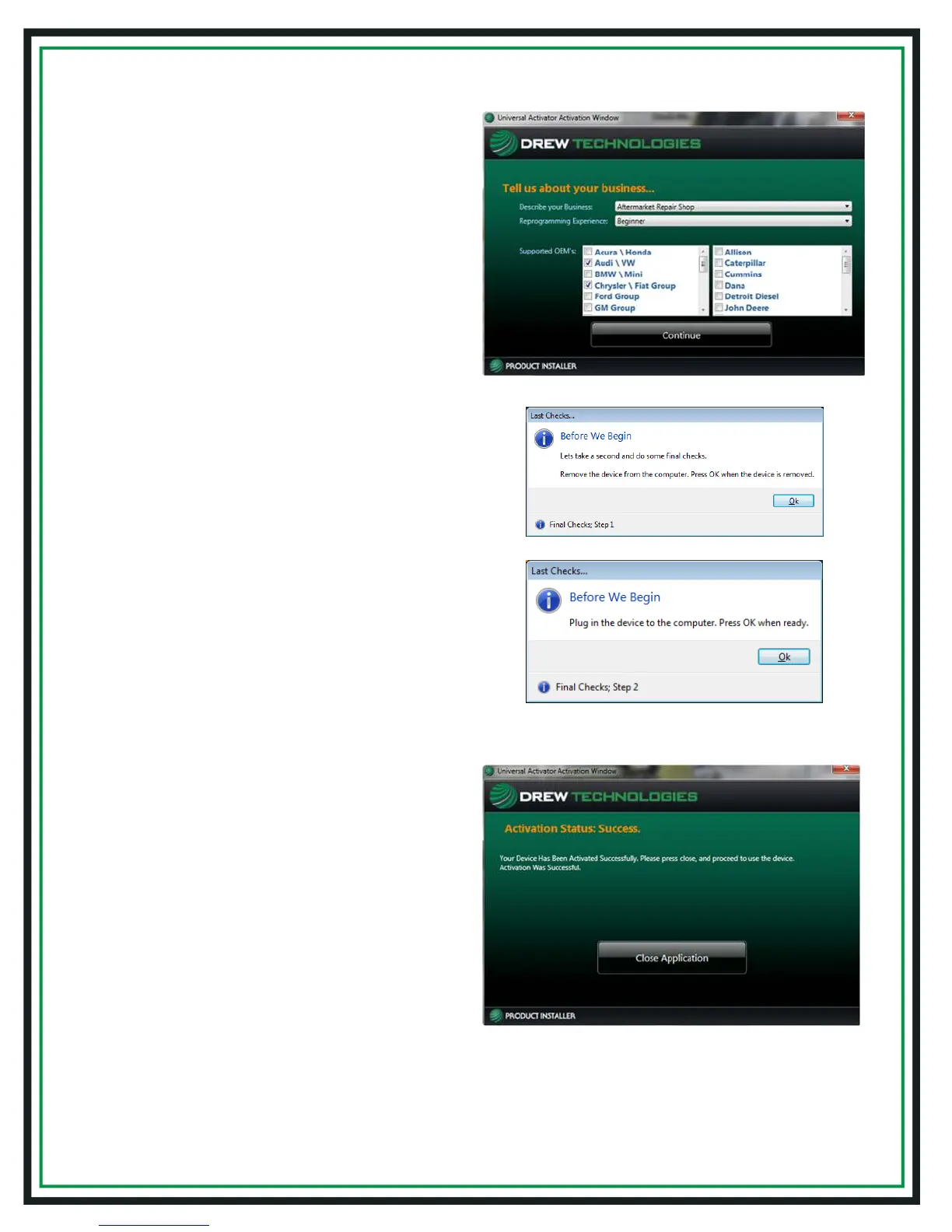
8. Select your type of business and level
of programmingexperience, then select
the OEMs you are planning to support.
Click "Continue"
9. (a) For final check of the interface, unplug
the USB cable for the CarDAQ-Plus 2
®
device
from your PC, and click "Ok"
(b) Then plug the USB cable for the
CarDAQ-Plus 2
®
device back into your PC,
and click "Ok"
10. Once product activation is performed
successfully, you can also install the
software on other PCs without having
to perform the activation procedure
again. Click “Close Application”


 To Next Page