19www.drilldoctor.com
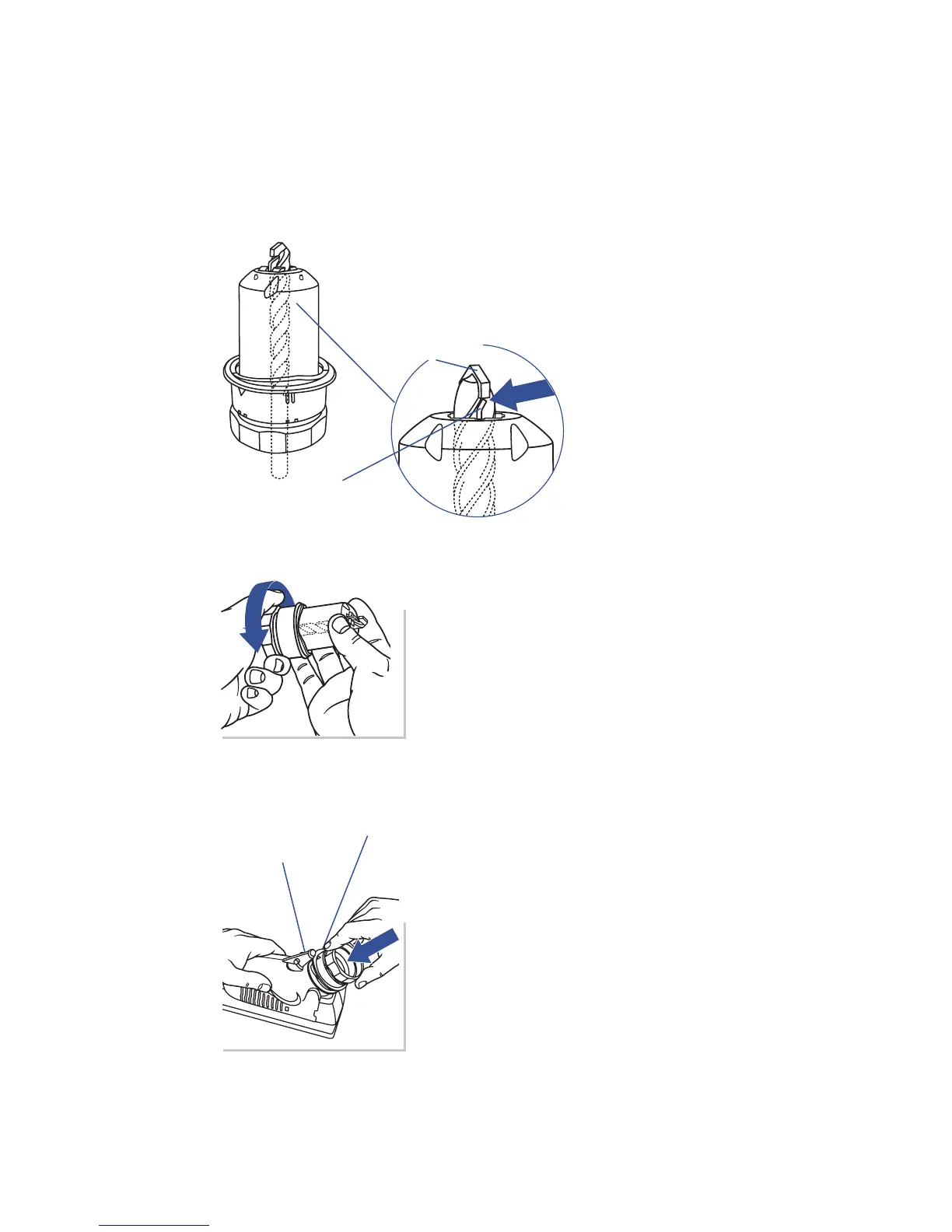
Tighten
Tighten the Chuck while checking
that the insert is touching the end of
the Alignment Fingers. Tighten until
the bit no longer moves in the chuck.
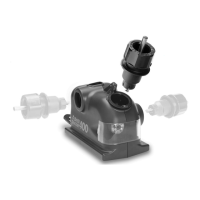
Cam Guide
Plunge until sharp
Align the White Triangle on the Chuck
with the Cam Guide on the machine.
Plunge the Chuck into the Sharpening
Port until it contacts the Sharpening
Wheel. Remove the Chuck and rotate
one half-turn to the opposite White
Triangle. Plunge the Chuck into the
Sharpening Port again to sharpen the
other side of the carbide insert. Start
with four plunges. Inspect the bit.
Then sharpen more if needed.
White Triangle
Chuck the masonry bit.
Insert your masonry bit in the Chuck
in the same manner as other bits, but
in this case, make sure the carbide
insert is touching the
end of the Alignment
Fingers as shown.
Alignment Finger
Carbide Insert
Aligning and Sharpening Masonry Drill Bits
To sharpen a masonry bit, you do not turn the Chuck, instead
you use a plunging motion. Insert the Chuck until it touches the
wheel, remove, and repeat on the other side.




 To Next Page