13
By default, Drobo FS automatically spins down the hard drives after 15
minutes of inactivity. This helps save electricity and can prolong the life
of the drives. However, it will take the Drobo FS a few moments to spin
the drives back up again when you try to access them. If you want to
change this setting, go to Advanced Controls -> Tools -> Settings ->
General. Then use the slider to set the desired time interval for spinning
down the drives.
You can set the indicator lights to full intensity (default) or low intensity.
When the hard drives spin down, the indicator lights automatically dim.
They are visually distinguishable from even the low brightness setting.
Note that the change in the brightness takes a few seconds.
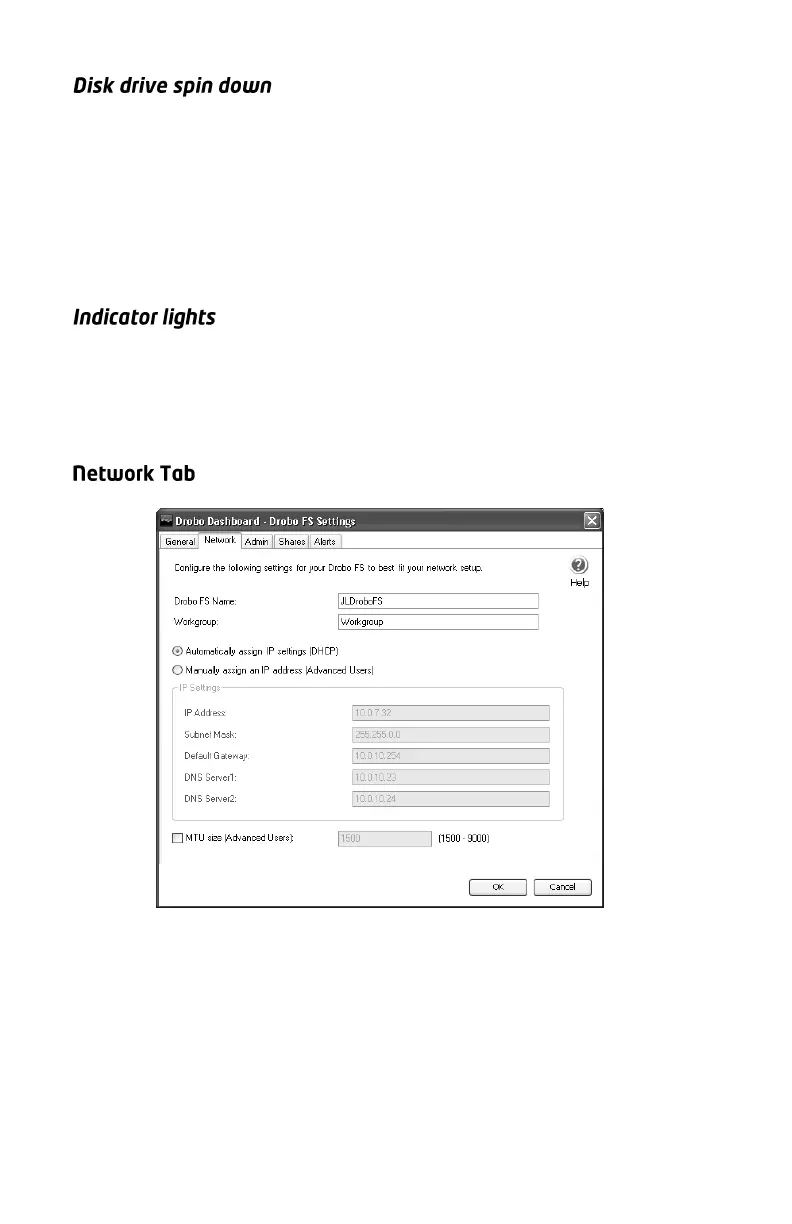
Use this screen to rename your Drobo FS, and to set a static IP address,
if necessary. For advanced users, this screen also allows you to use
jumbo frames. Click the box at the bottom of the screen (MTU) and set
the desired size.
Note: The name of your Drobo FS must be no more than 14 characters and
cannot contain any special characters or spaces.



 To Next Page