EasyManua.ls Logo

Drucker Diagnostics QBC STAR - User Manual

Drucker Diagnostics QBC STAR
89 pages
Print Icon
To Next Page IconTo Next Page
Loading...
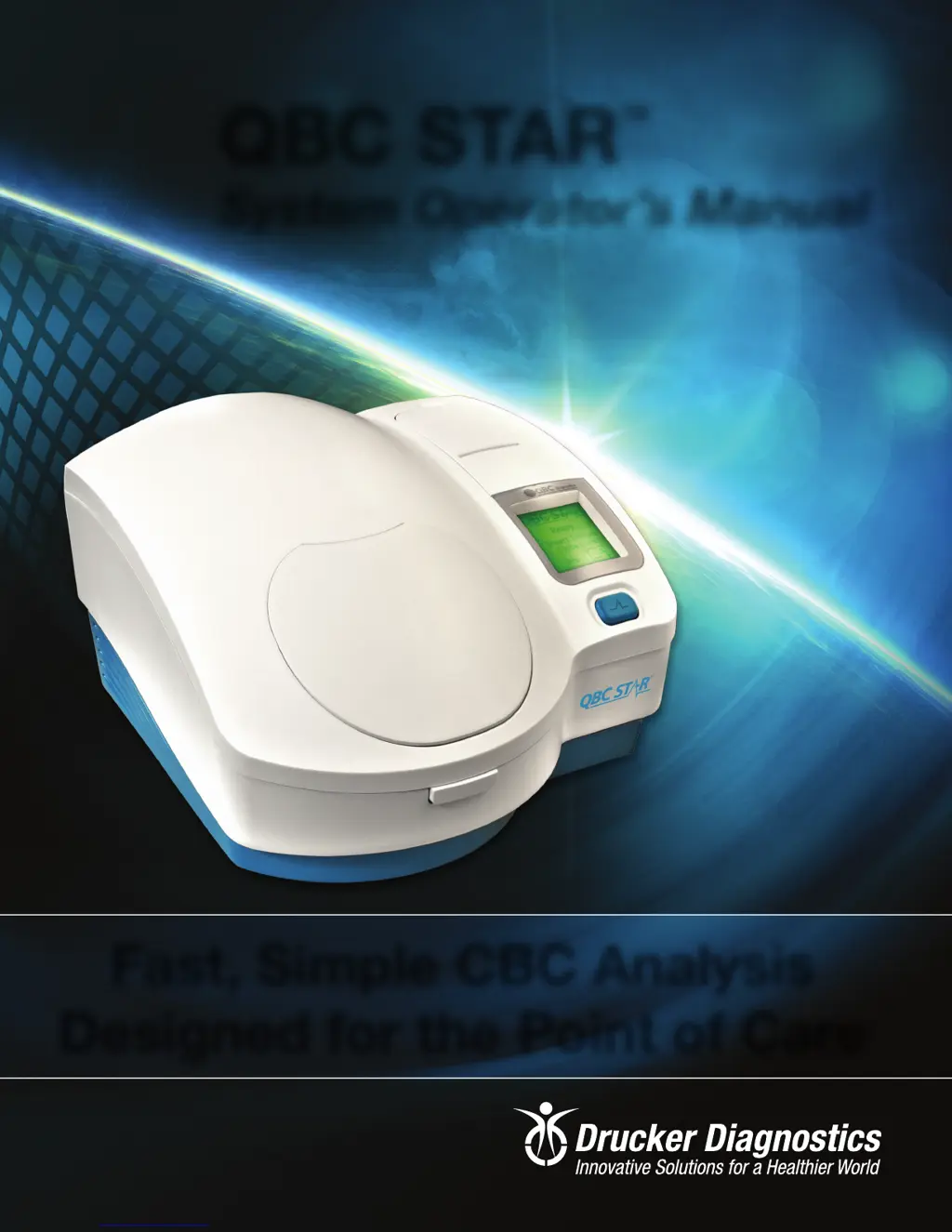
QBC STAR
TM
System Operator’s Manual
Fast, Simple CBC Analysis
Designed for the Point of Care
Document Number: 6000-300-000
Revision J
200 Shady Lane, Suite 170, Philipsburg, PA 16866 U.S.A. |
+
1
-
814
-
692
-
7661 | www.druckerdiagnostics.com

Table of Contents

Questions and Answers

  • H
    howellmelodyAug 18, 2025
    Why is my Drucker Diagnostics Measuring Instrument not turning on?
    • E
      elawsonAug 18, 2025
      Your Drucker Diagnostics Measuring Instrument may not be operating due to a few reasons: the power cord might not be properly plugged into the unit or the receptacle, so ensure it is securely connected. Alternatively, the door may not be latched correctly; make sure to close the door and latch it securely. If neither of these solutions work, request authorized service.
  • E
    Emily WarrenAug 21, 2025
    What to do if my Drucker Diagnostics Measuring Instrument vibrates too much?
    • J
      James DunnAug 21, 2025
      Excessive vibration in your Drucker Diagnostics Measuring Instrument could be due to worn or missing foam pads on the bottom of the instrument. If this is the case, call Technical Support.
  • A
    amandarojasAug 23, 2025
    What to do if the lid on my Drucker Diagnostics Measuring Instrument won't open?
    • C
      Carolyn YoungAug 23, 2025
      If the lid on your Drucker Diagnostics Measuring Instrument fails to open, it could be due to power failure or a defective lid solenoid or internal parts. If the power has failed, use the emergency door unlock procedure. If the issue persists, request authorized service.
  • J
    James ValenzuelaAug 26, 2025
    What to do for centrifuge motor profile error during POST in Drucker Diagnostics?
    • M
      milleremmaAug 26, 2025
      To address a centrifuge motor profile error during the Power On Self-Test (POST) in your Drucker Diagnostics instrument: 1. Record the error message displayed on the LCD screen. 2. Export the support file. 3. Power down the instrument. 4. Reset the power pack. 5. Turn the instrument power on. 6. If the error persists contact Technical Support.
  • J
    Jesse BenderAug 27, 2025
    What to do for centrifuge motor profile error during operation in Drucker Diagnostics?
    • R
      Ronald MullenAug 27, 2025
      To address a centrifuge motor profile error during operation in your Drucker Diagnostics instrument: 1. Record the error message displayed on the LCD screen. 2. Export the support file. 3. Power down the instrument. 4. Reset the power pack. 5. Turn the instrument power on. 6. If the error persists contact Technical Support.
  • C
    colleen50Aug 29, 2025
    What to do for centrifuge motor index error in Drucker Diagnostics?
    • J
      Jodi WiseAug 29, 2025
      To address a centrifuge motor index error in your Drucker Diagnostics instrument: 1. Record the error message displayed on the LCD screen. 2. Export the support file. 3. Power down the instrument. 4. Reset the power pack. 5. Turn the instrument power on. 6. If the error persists contact Technical Support.
  • J
    Justin WhiteSep 1, 2025
    What to do for centrifuge motor position error in Drucker Diagnostics?
    • S
      Scott KingSep 1, 2025
      To address a centrifuge motor position error in your Drucker Diagnostics instrument: 1. Record the error message displayed on the LCD screen. 2. Export the support file. 3. Power down the instrument. 4. Reset the power pack. 5. Turn the instrument power on. 6. If the error persists contact Technical Support.
  • S
    Sonya MooreSep 3, 2025
    What to do for centrifuge control board/main board communication error in Drucker Diagnostics?
    • K
      Kaitlyn MooreSep 3, 2025
      To address a centrifuge control board/main board communication error in your Drucker Diagnostics instrument: 1. Record the error message displayed on the LCD screen. 2. Export the support file. 3. Power down the instrument. 4. Turn the instrument power on. 5. If the error persists contact Technical Support.
  • N
    Nancy BarreraSep 6, 2025
    What to do if the centrifuge motor fails to respond to system commands in Drucker Diagnostics?
    • C
      Catherine BrewerSep 6, 2025
      To address a centrifuge motor failure to respond to system commands error in your Drucker Diagnostics instrument: 1. Record the error message displayed on the LCD screen. 2. Export the support file. 3. Power down the instrument. 4. Turn the instrument power on. 5. If the error persists contact Technical Support.
  • S
    Seth GeorgeSep 8, 2025
    What to do for centrifuge motor initialization error in Drucker Diagnostics?
    • K
      Kevin GibsonSep 8, 2025
      To address a centrifuge motor initialization error in your Drucker Diagnostics instrument: 1. Record the error message displayed on the LCD screen. 2. Export the support file. 3. Power down the instrument. 4. Turn the instrument power on. 5. If the error persists contact Technical Support.

Summary

1 - Introduction

Intended Use

Describes the purpose of the QBC STAR system and the hematology values it provides.

Principles of the Test

Explains the technology behind the QBC STAR system's blood analysis.

System Overview

Provides a general overview of the QBC STAR Hematology System.

Instrument Self-Testing and Calibration

Explains the self-test and calibration process performed by the instrument.

Summary of Warnings and Cautions

Lists important safety warnings and precautions for handling the QBC STAR tubes.

2 - Installation and Setup

Unpacking and Setup

Instructions for unpacking and setting up the QBC STAR instrument.

Electrical Connection

Details how to connect the instrument to the main AC power source.

QBC STAR Specifications

Lists the physical, electrical, and environmental specifications of the instrument.

External Connections

Describes the rear panel ports for connecting external devices.

Upgrading the Software

Steps to install updated software for the QBC STAR Hematology System.

System Setup and Utilities

Overview of configurable system parameters like LCD contrast, date, and time.

To Enter Setup Mode

Steps to access the instrument's setup menu for configuration.

3 - Controls and Indicators

Power Switch

Location and function of the power switch on the rear panel.

STAR Button

Describes the multiple functions of the teal-colored STAR button.

Door Release Latch

Explains how to open the instrument door safely.

Liquid Crystal Display (LCD)

Details the instrument's display screen for prompts and results.

Setup Keypad

Description of the keypad used for entering setup information.

4 - Operation

Summary of Operation Steps

Lists the routine steps for operating the QBC STAR Hematology System.

Turn Instrument Power on

Instructions for powering on the instrument and initiating self-test.

Prepare the QBC STAR Tube

Steps for preparing the blood collection tube for analysis.

Mix the Tube

How to properly mix the blood in the QBC STAR tube.

Cap the Tube

Instructions for capping the prepared tube, ensuring proper float placement.

Insert the Tube Into the Instrument

How to correctly place the prepared tube into the analyzer.

Start the Test

How to initiate a test cycle using the STAR button.

Printing of Results

How to obtain and interpret the hematology test results.

Power Down

Steps to safely turn off the instrument after use.

Emergency Door Unlock

Procedure for unlocking the instrument door in case of power failure.

5 - Performance and Limitations

Operating Ranges

Lists the valid measurement ranges for hematology parameters.

Precision

Presents data on the within-run precision of the QBC STAR system.

Accuracy

Information on the accuracy of the QBC STAR system compared to reference methods.

Interfering Substances

Lists substances that may affect test results and require consideration.

Limitations

Discusses system limitations and potential issues affecting results.

Analytical Quality Control

Details the built-in quality control systems and elements.

7 - Troubleshooting

General Problems

Common instrument issues and their suggested corrective actions.

System Error Codes

Lists system error codes and their corresponding corrective actions.

Tube Error Codes

Lists tube-specific error codes and recommended solutions.

8 - Appendices

Appendix A - Limited Warranty

Details the warranty terms and conditions for the QBC STAR system.

Appendix B - Parts and Accessories

Lists available parts and accessories for the QBC STAR instrument.

Appendix C - Software Upgrade Log

A log for recording software upgrades received and installed.

6 - Maintenance

Cleaning

Instructions for cleaning the interior and exterior surfaces of the instrument.

Disinfection

Procedures for disinfecting the instrument after blood contact.

Replacing Printer Paper

Steps for replacing the printer paper roll when it is nearly exhausted.

E - Blood Collection and Handling

Universal Precautions for Specimen Handling

Safety guidelines for handling blood and body fluids as potential biohazards.

Venous Blood Collection (Venipuncture)

Step-by-step guide for collecting venous blood samples.

Capillary Blood Collection

Step-by-step guide for collecting capillary blood samples.

Avoiding Hemolysis During Capillary Blood Collection

Tips to prevent hemolysis when collecting capillary blood.

D - Contact

Phone

Provides contact phone numbers for technical and customer support.

Email

Provides contact email addresses for technical and customer service.

Drucker Diagnostics QBC STAR Specifications

General IconGeneral
BrandDrucker Diagnostics
ModelQBC STAR
CategoryMeasuring Instruments
LanguageEnglish